
Theme bundles
このコンテンツはまだ日本語訳がありません。
A theme bundle remembers the look of each pane position — its theme, shader and font — plus the shared theme and the layout. Apply it later and every open terminal gets its look back.
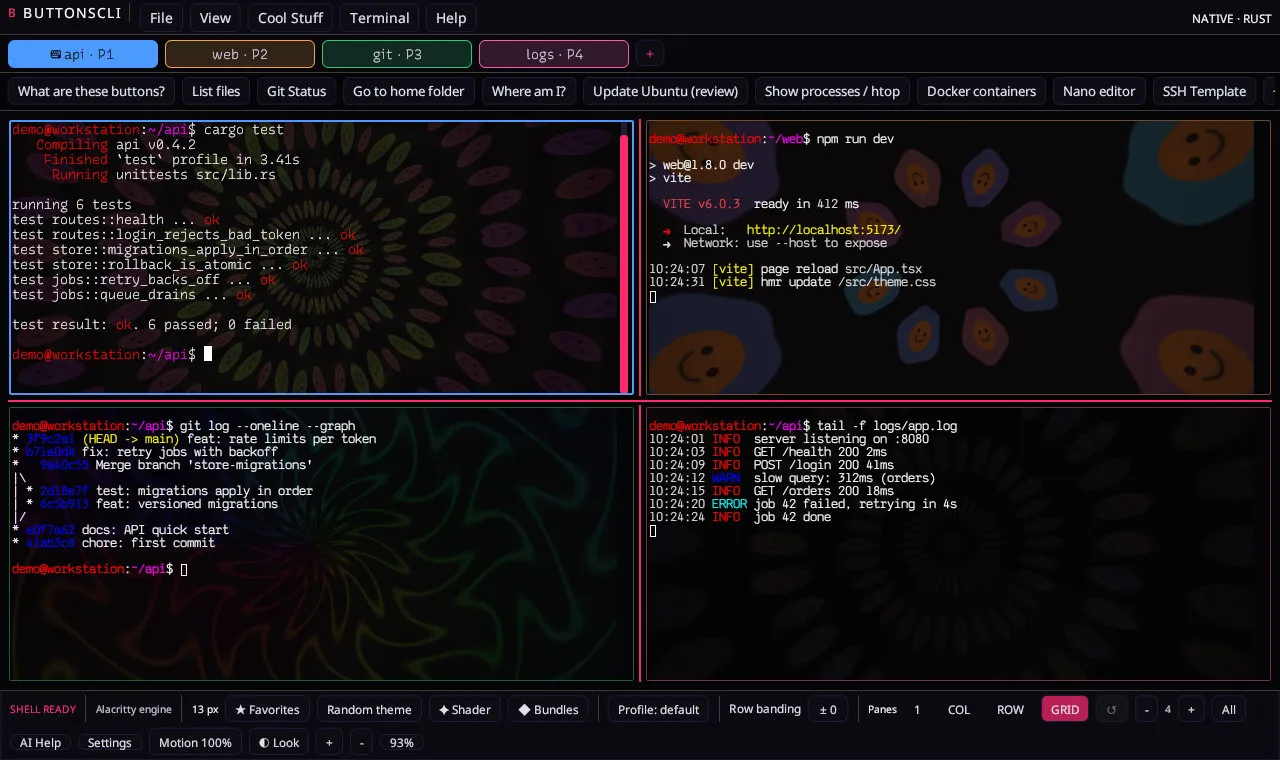
Some looks here are saved with a higher Strength than the default (0.35), so their motion shows in the picture. Strength fades a shader toward the background color, which keeps text readable. Nothing is stuck at this level: lower it any time.
Save one
Section titled “Save one”- Give your panes the looks you want (see Themes and Shader backgrounds).
- Open the ◆ Bundles menu in the status bar (or Settings → Themes → Library → Theme bundles).
- Type a name, or leave it empty for Bundle 1, 2, …
- Click Save (Save current looks in Settings).
Replace bundle updates an existing bundle with what is on screen now.
Apply one
Section titled “Apply one”- Settings → Themes → Library → Theme bundles → Apply, or
- File → Apply theme bundle in the menu bar, or
- ◆ Bundles in the status bar.
Bundles are saved by position, not by terminal: the look saved for Pane 1 goes to whatever is in Pane 1 now. If the bundle has more looks than you have terminals, the rest wait and go to the next terminals you open.
Themes that were deleted since the bundle was saved are skipped, and the message says how many.
Built-in bundles
Section titled “Built-in bundles”Bundles marked ◆ come with ButtonsCLI. You can apply them but not change or delete them — save a copy under a new name instead. In the Library they sit folded under ◆ Built-in bundles so they don’t push the theme list down.
Pane Focus / Spectrum Steps
Section titled “Pane Focus / Spectrum Steps”This bundle gives each of eight terminal slots a distinct dark color look: black into ruby, orange, gold, green, cyan, blue, violet and rose. Apply it from ◆ Bundles; open more terminals to receive the remaining colors. The first four open terminals are requested as a grid, subject to window space. If you apply with only one terminal open, choose a multi-pane layout after opening more. After all eight looks are assigned, further terminals use the shared theme; the colors do not cycle.
Its matching reusable shader, Pane Focus / Ink Ramp, is in Shaders → Pattern → ◆ Built-in shaders. The bundle uses your shared font and size and preserves your global shader and Calm settings. Bundles you save also keep your Row banding value and restore it when applied. Turn on Shader backgrounds on (GPU) to see the pattern; with shaders off, each pane keeps its color through a static black-to-color gradient.
Your looks survive restarts
Section titled “Your looks survive restarts”Even without a bundle, the look of each pane position is remembered when you quit and comes back on the next start.