Prepare once
Files, paths, and your prompt are organized into one block.
Local Rust app · GUI + CLI
Select a folder, let AICodePrep filter the noise, and copy one structured context block into ChatGPT, Claude, Gemini, or another model. No repeated file-by-file copying and no API setup.
The full app is included for 10 context generations over 14 days. Buy v2 when either trial limit is reached.
aicodeprep-fast to Applications.chmod +x /Applications/aicodeprep-fast
xattr -d com.apple.quarantine /Applications/aicodeprep-fast
/Applications/aicodeprep-fast
The build is not Apple code-signed. The one-time xattr command
removes Gatekeeper's download quarantine. Requires Apple Silicon and macOS 11+.
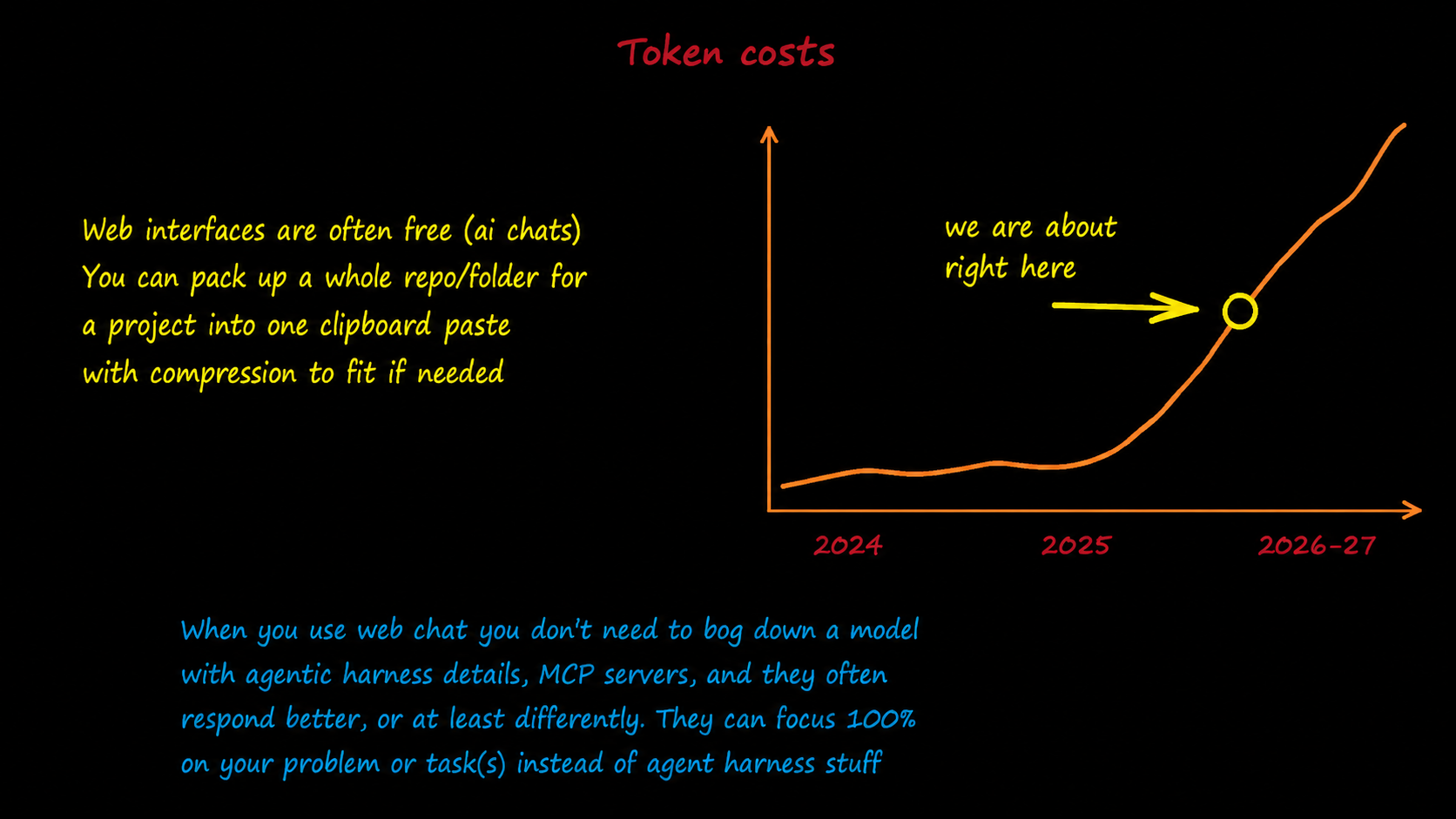
Use the chats you already have
ChatGPT, Claude, and Gemini web chats are often free or already included in a subscription, and may use different allowances from coding agents. When an agent limit is tight, paste the same context into a chat model instead of adding API charges or another subscription.
Files, paths, and your prompt are organized into one block.
Standard chat models receive the full project context instead of partial snippets.
Reuse the block with another model without API keys, uploads, or another packing pass.
What v2 does
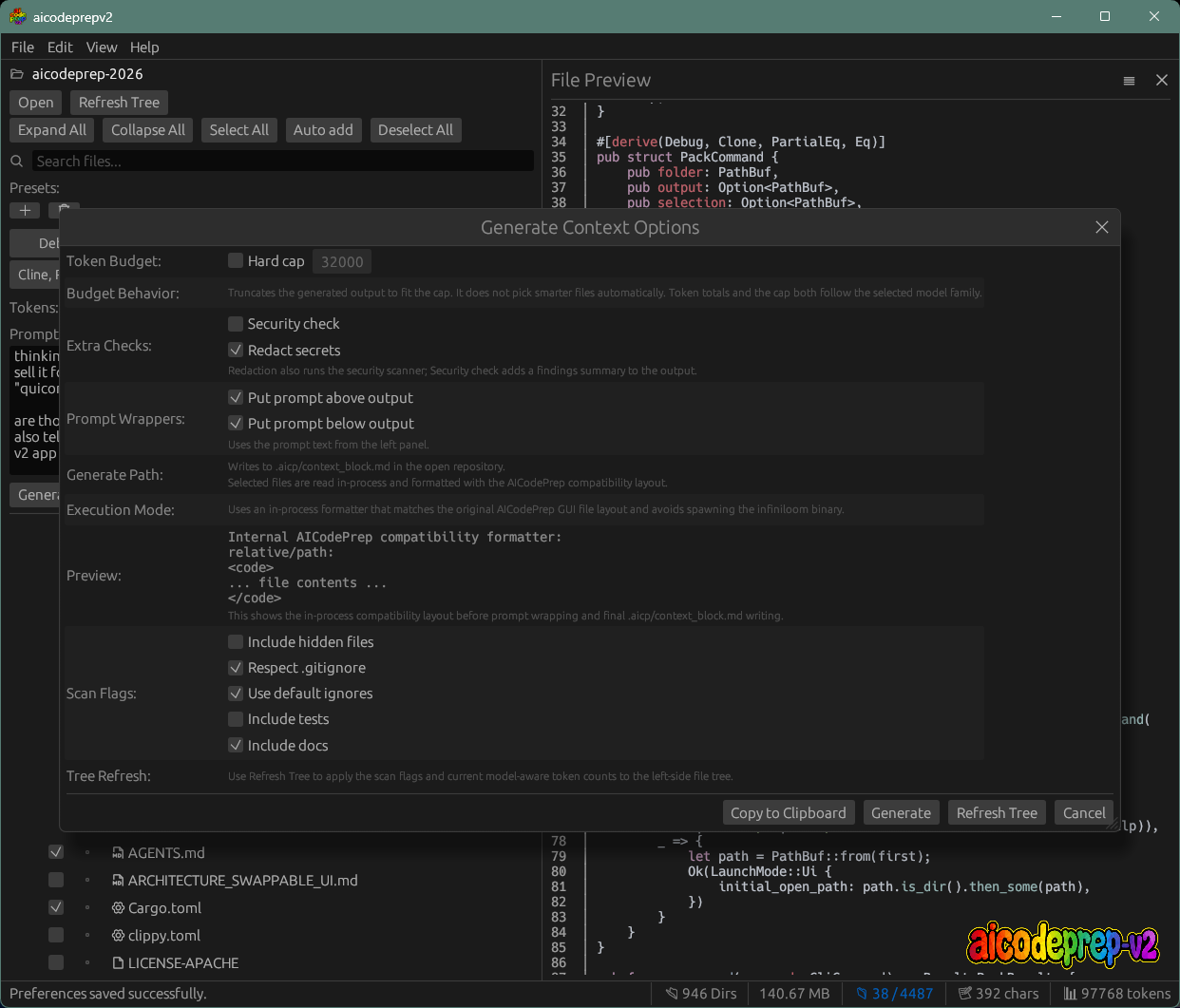
Include source and project files while skipping dependencies, build output, caches, and other generated noise.
The Rust scanner is built to filter and prepare folders containing tens or hundreds of thousands of files in a few seconds.
Generate a structured Markdown or XML file with paths, contents, token totals, and your prompt.
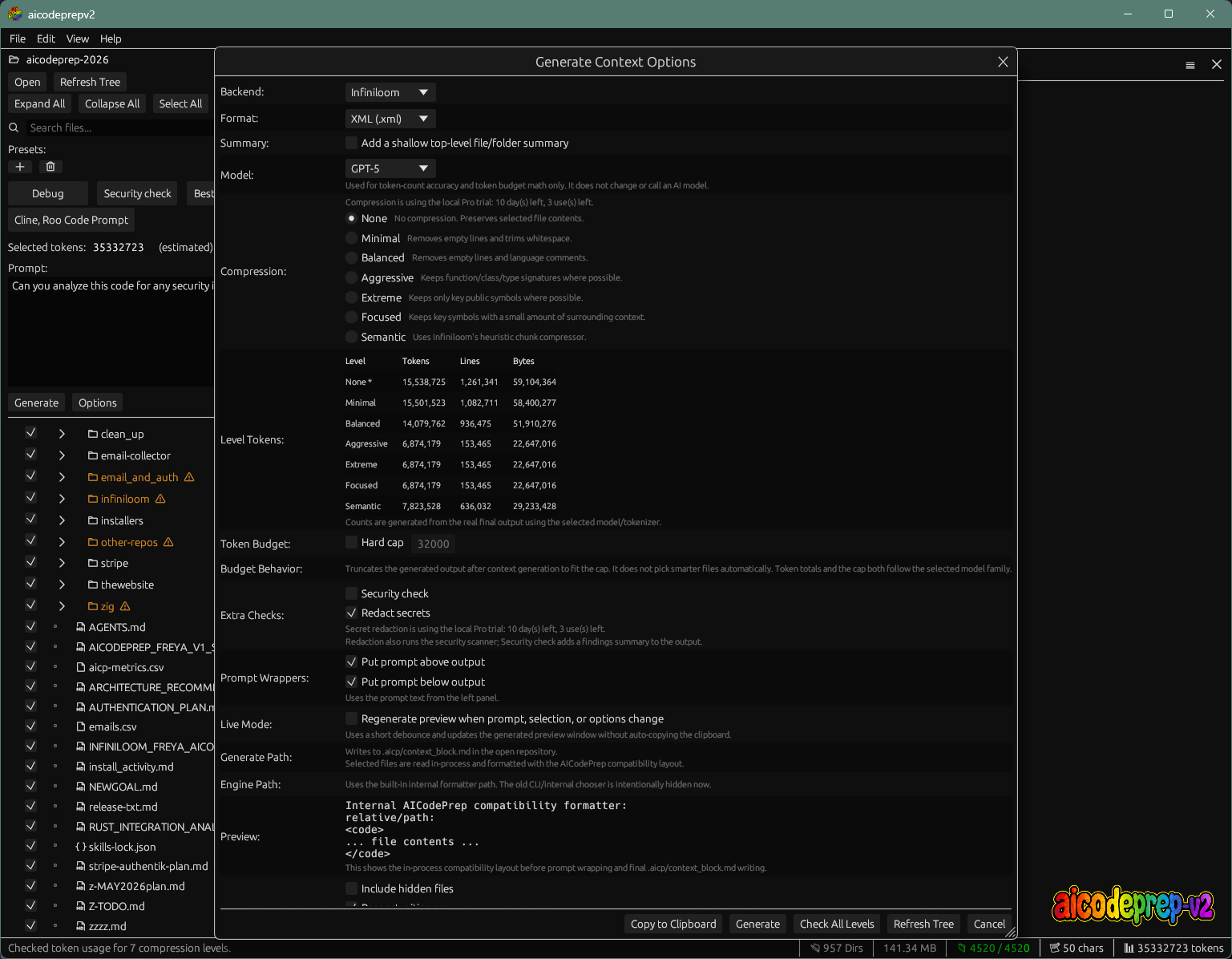
Count for the target model, compare compression levels, and fit larger projects into smaller context windows.
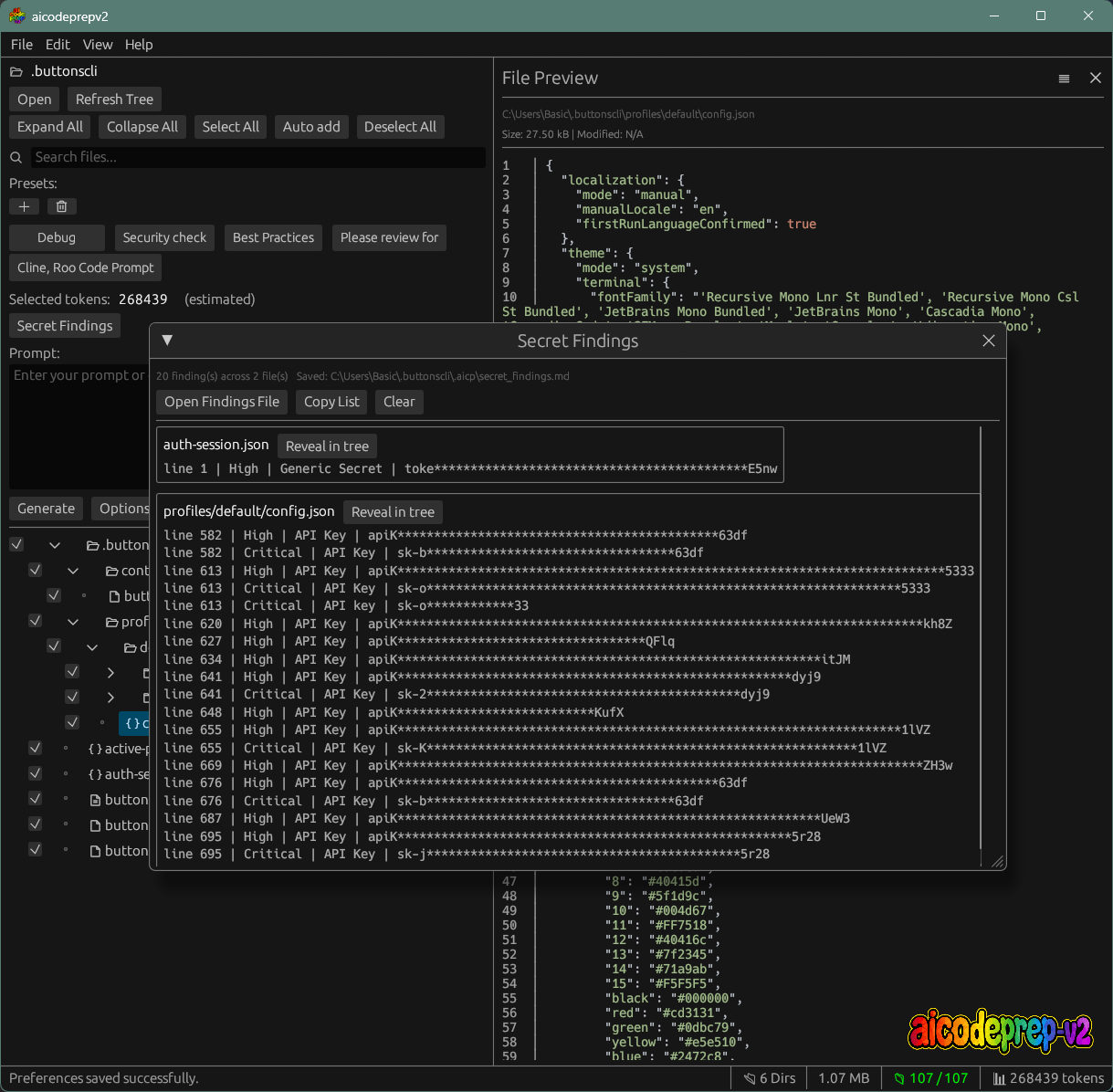
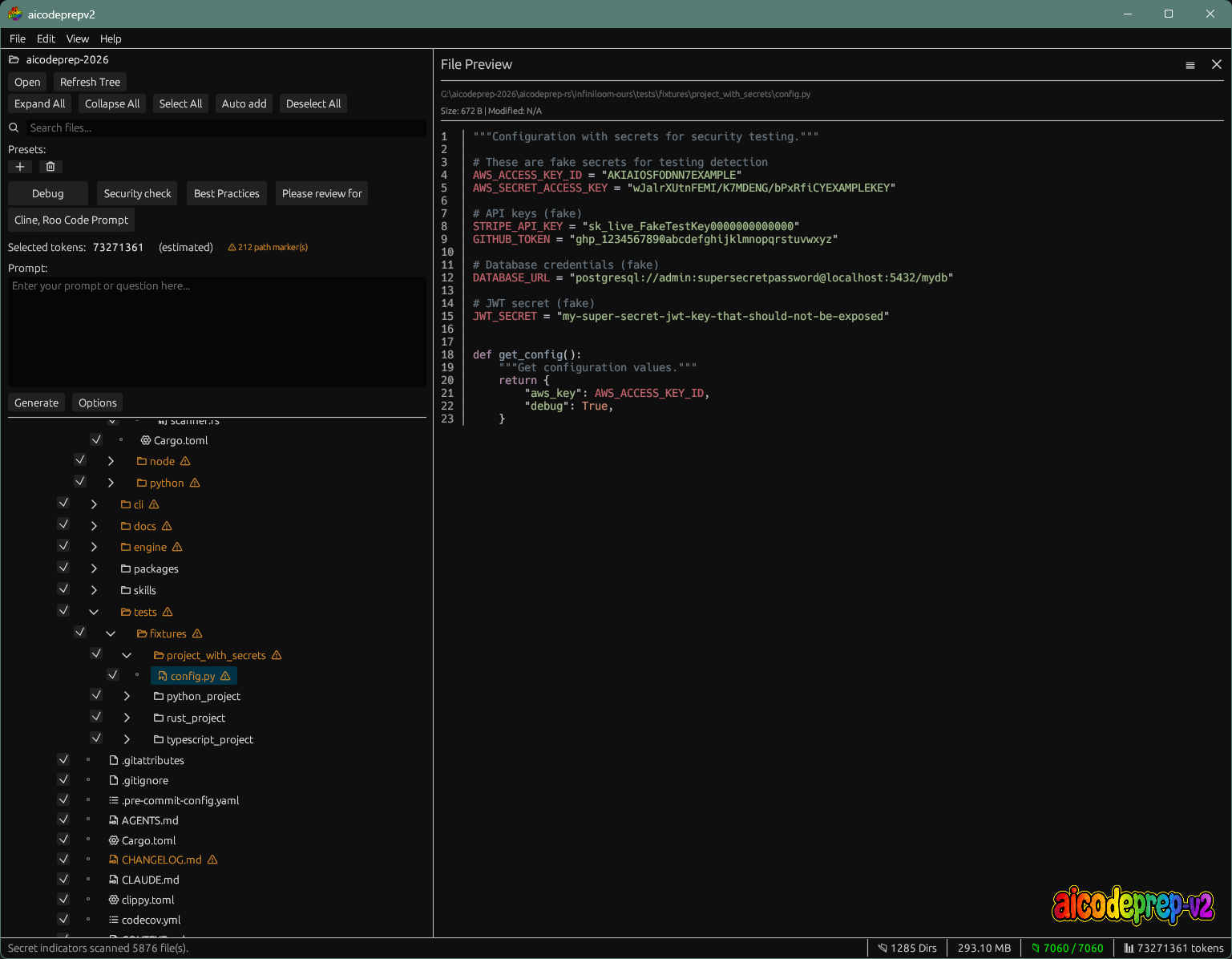
Review likely credentials and optionally redact them before anything is copied to an AI chat.
Select visually in the native GUI or run aicodeprep-fast pack <folder> in scripts and agent workflows.
Speed depends on storage and project shape. The important part is that scanning, ignore rules, selection, concatenation, and output happen in one local pass.
The actual app
Same engine, no window
Use saved project choices, auto-select sensible files, write the result, or copy it directly.
$ aicodeprep-fast pack ./my-app --auto-add --copy

Generated .aicp/context_block.md
Copied to clipboard.
Prefer the original?
AICodePrep v1 still handles the basic file-to-context workflow. It is slower on large projects and does not include v2's secret detection or compression.
10 generations, 14 days, then a one-time lifetime license.