No gatekeeping. No required memorization. No mandatory config file archaeology. Buttons instead of keyboard combos. AI help that actually helps. A real shell underneath.
The main idea: AI Help sits next to your terminal, generates a command with a safety label, and waits for you to review it before anything runs.
Terminal look scary? Not ours.
We put the controls on screen. You shouldn't need a cheat sheet to use a program you're going to use every day.
Terminal apps shouldn't require a photographic memory
Most terminal apps were built by people who memorized everything a long time ago and don't see the problem. There is a problem.
other terminals
ButtonsCLI
AI Help β built in
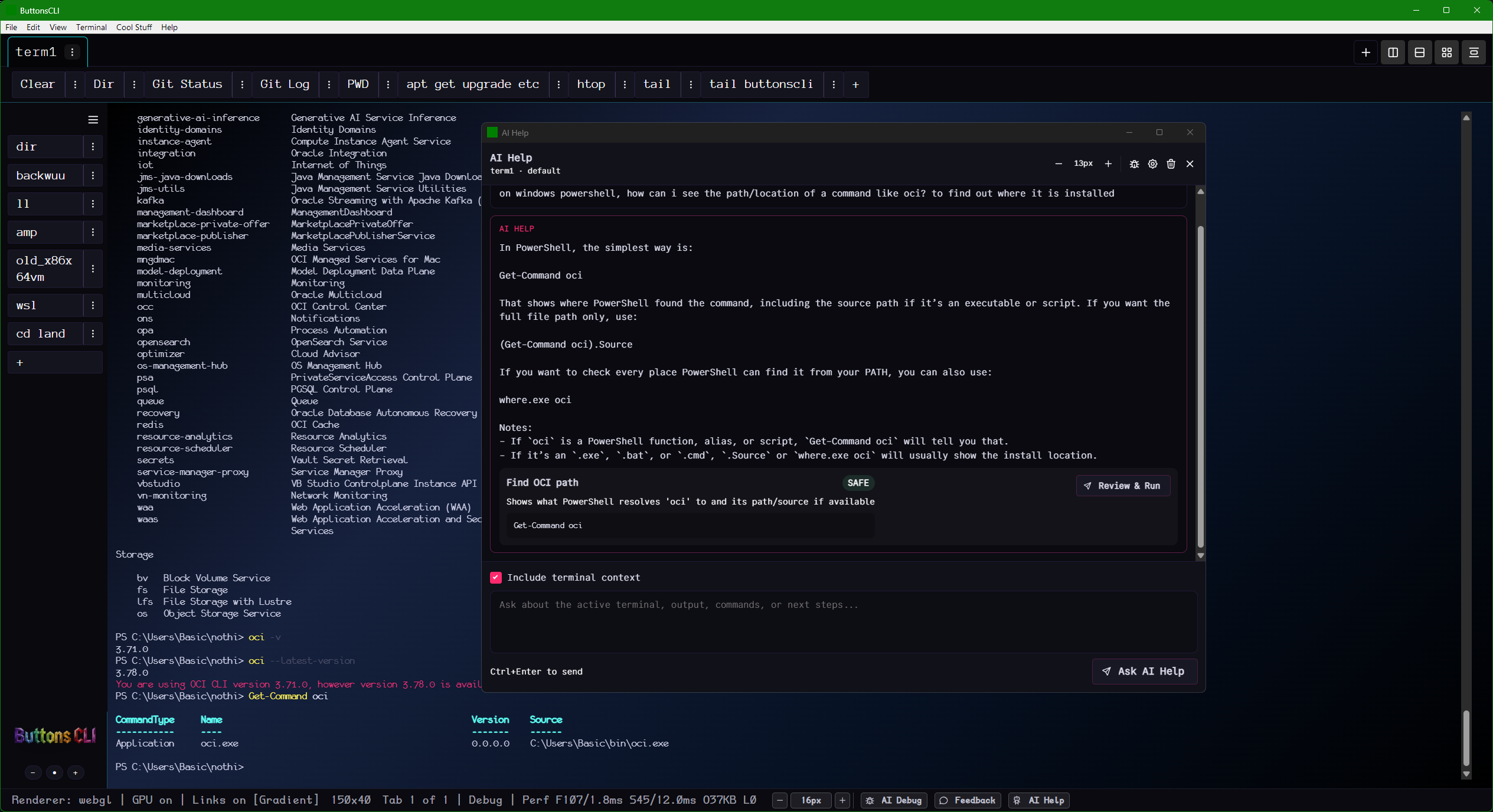
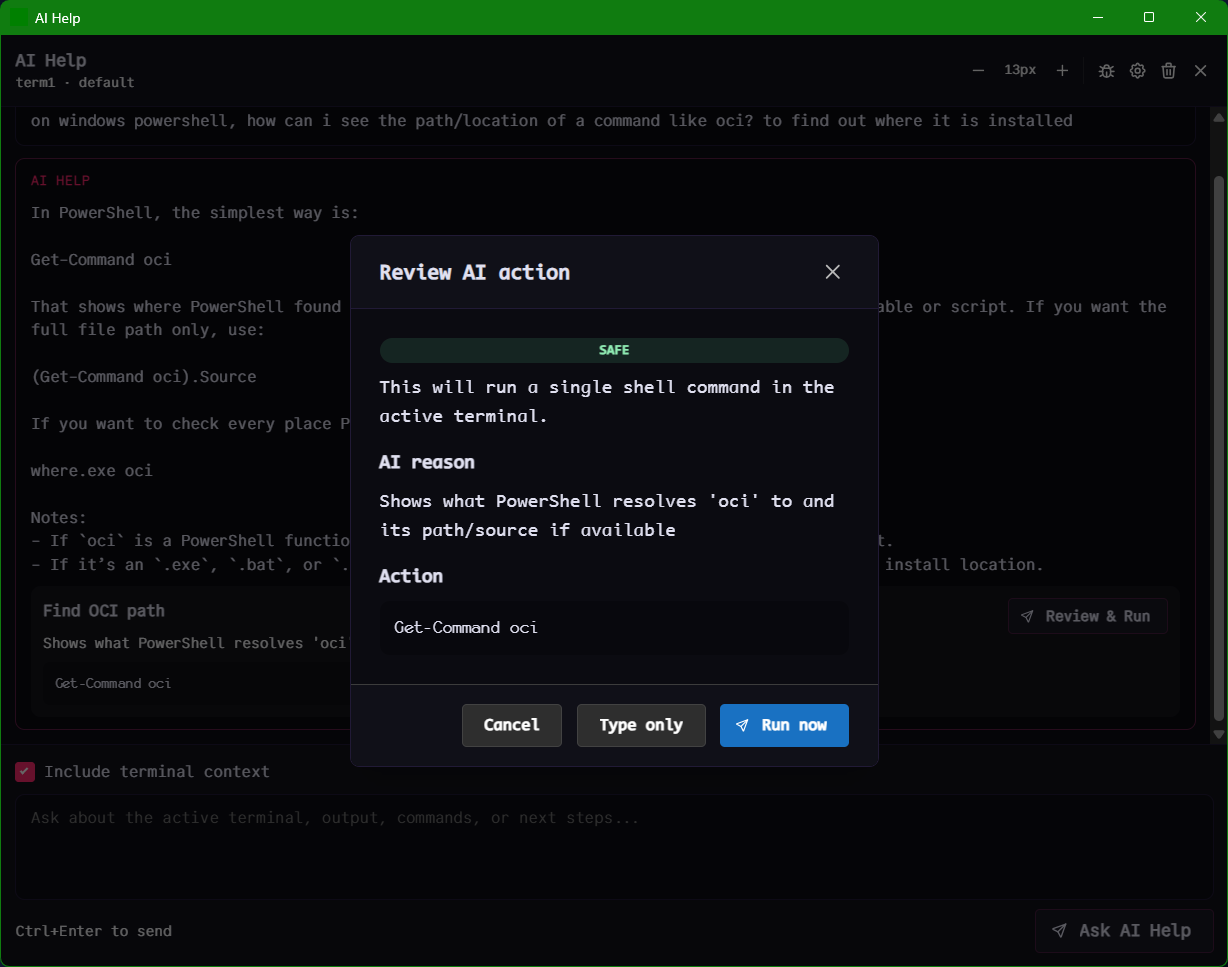
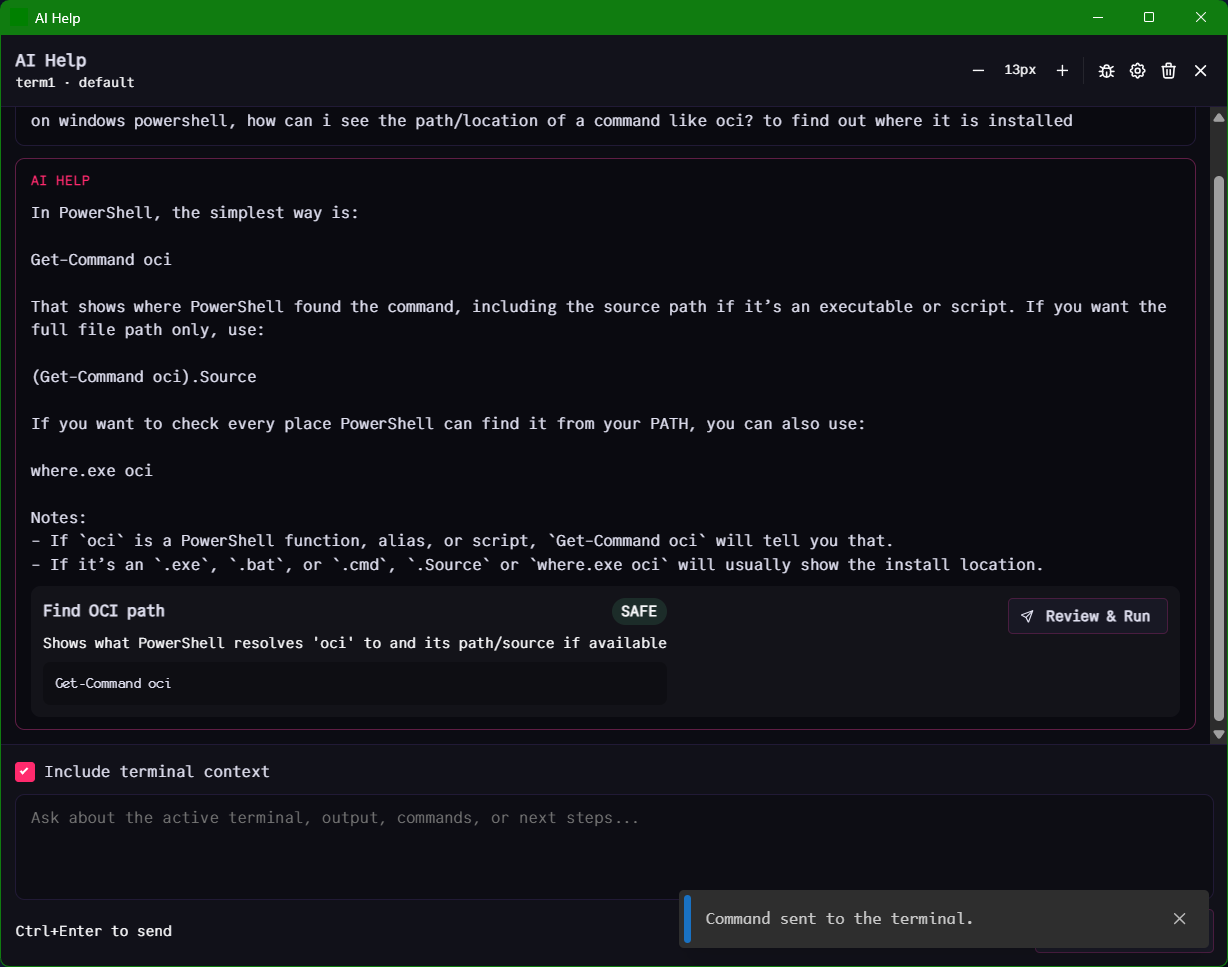
Type a question. Get a command with a safety label. See the AI's reason. Decide to run it, type-only (no autorun), or cancel. The AI doesn't touch anything until you say so.
Get-Command oci
SAFE
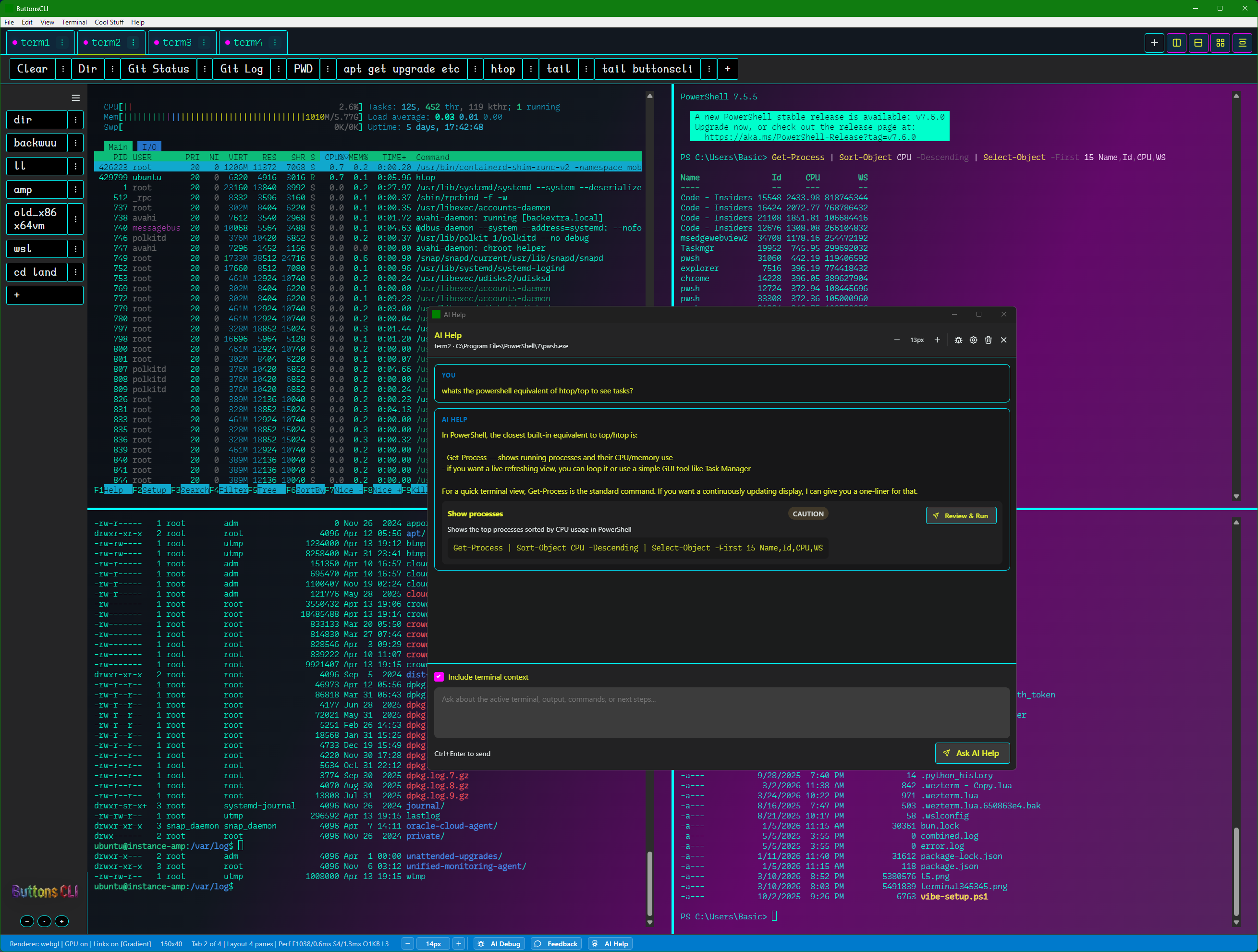
du -sh * | sort -h
CAUTION
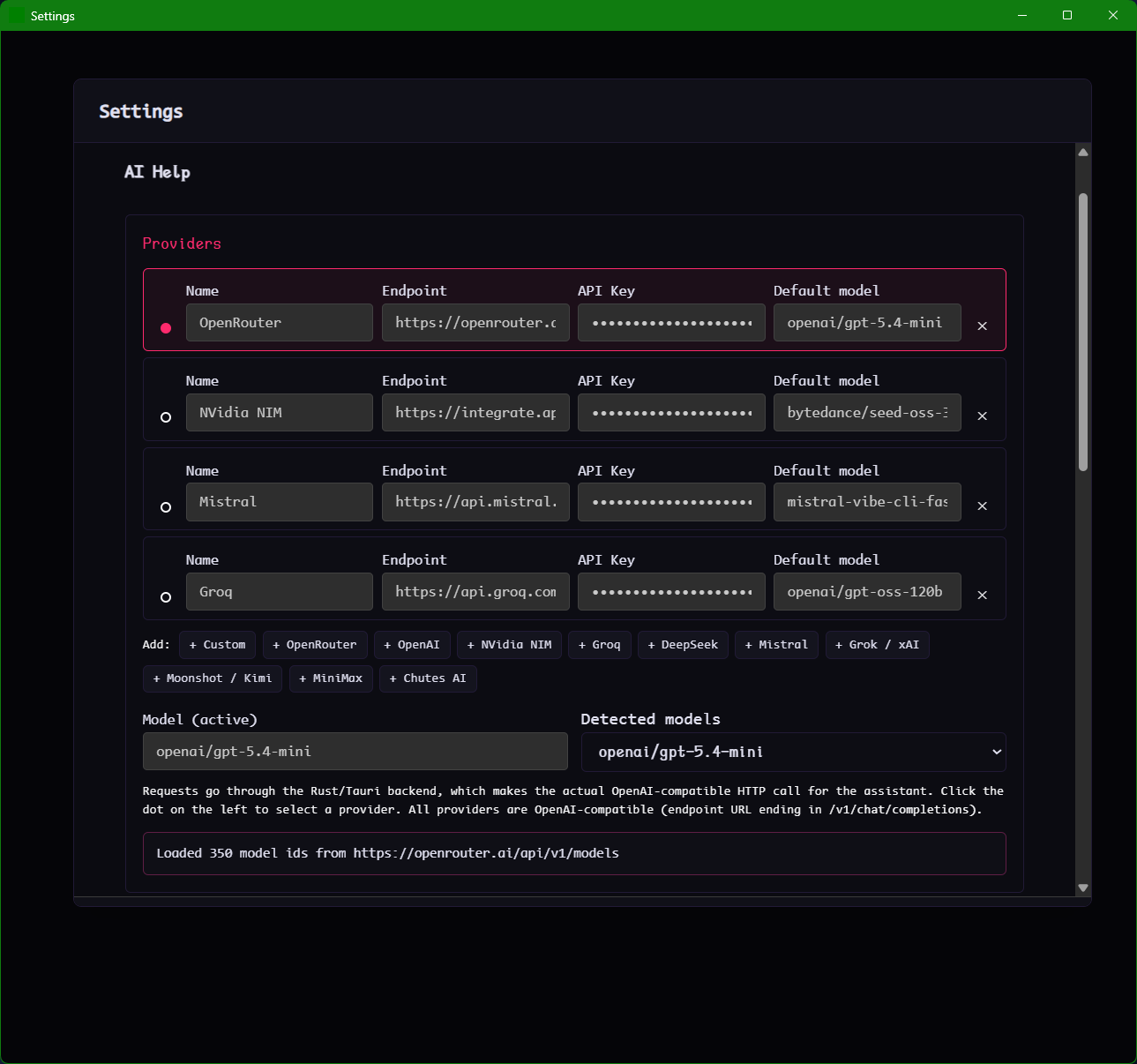
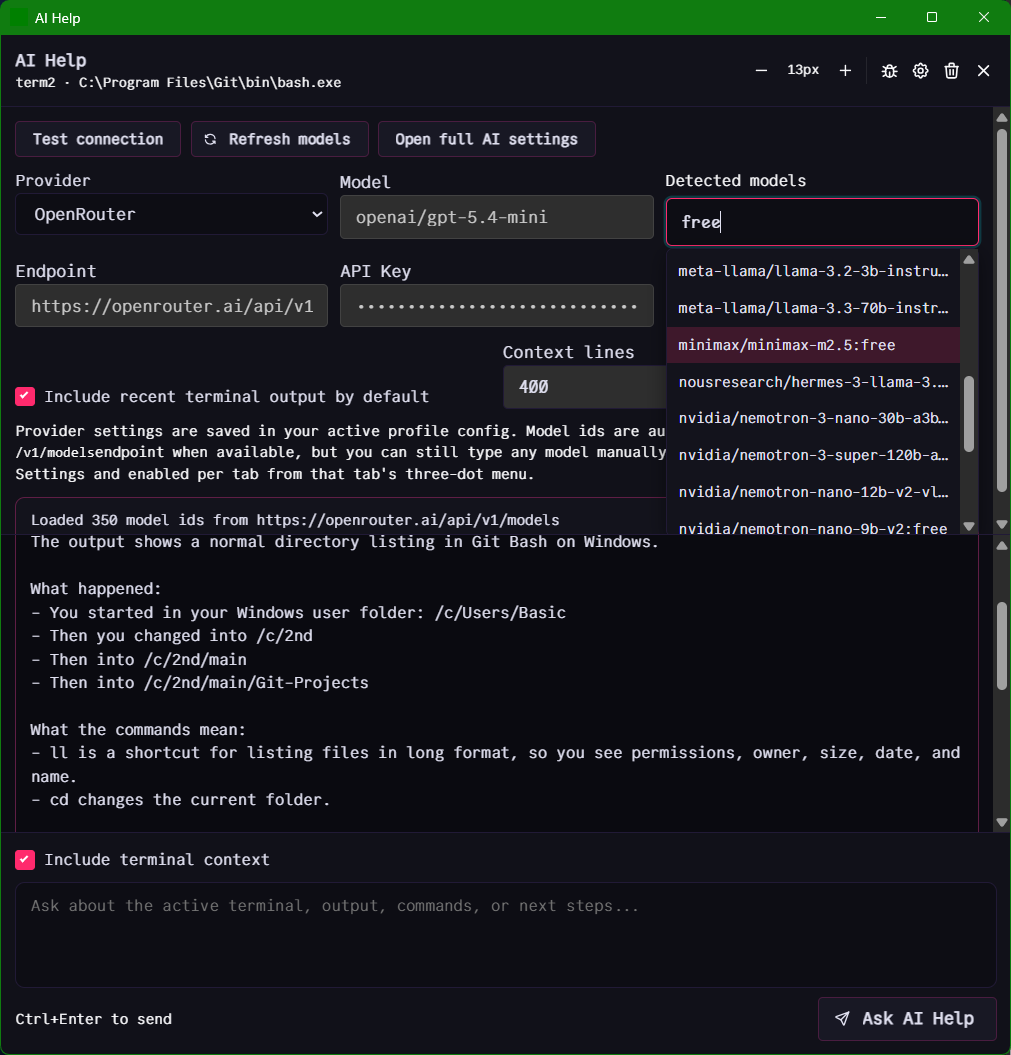
Ships with OpenRouter, Groq, Nvidia NIM, Mistral β including free tiers. Guides included. Very little setup.
SAFE = read-only, low risk. CAUTION = modifies something. You always know before anything runs.
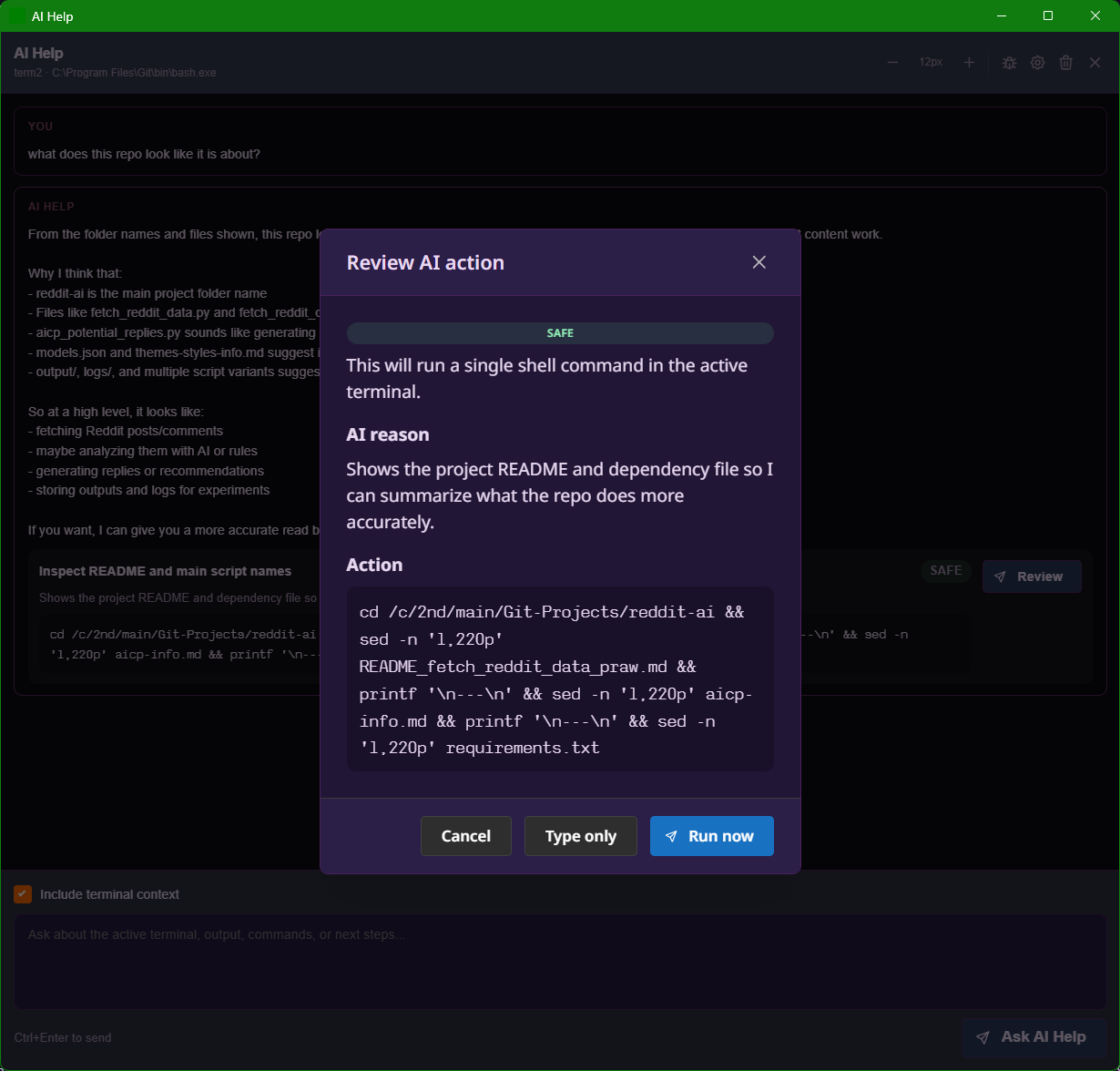
Review before running
The review modal. It shows you what the AI wants to do and why. You pick what happens next.
How it looks in practice
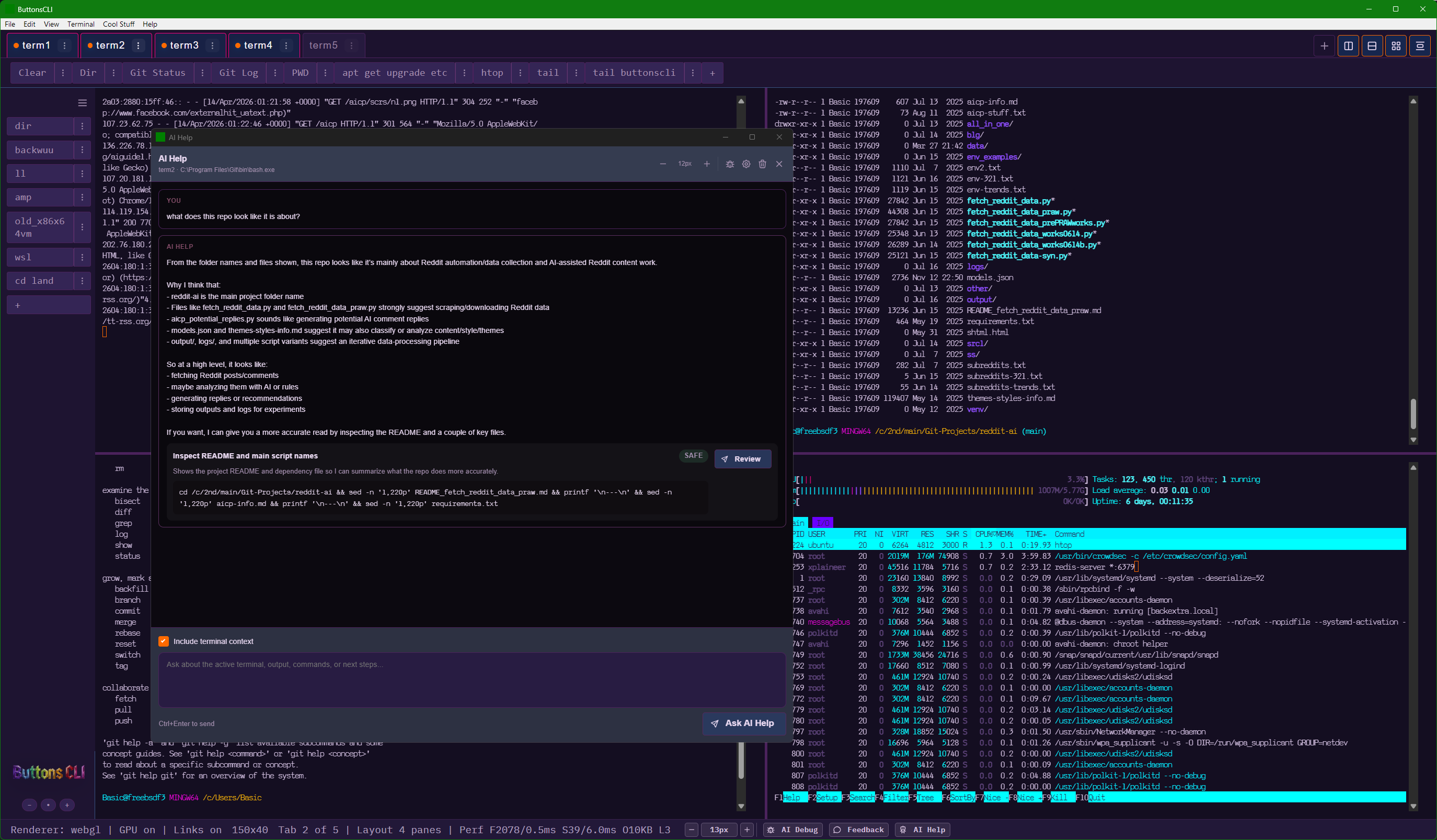
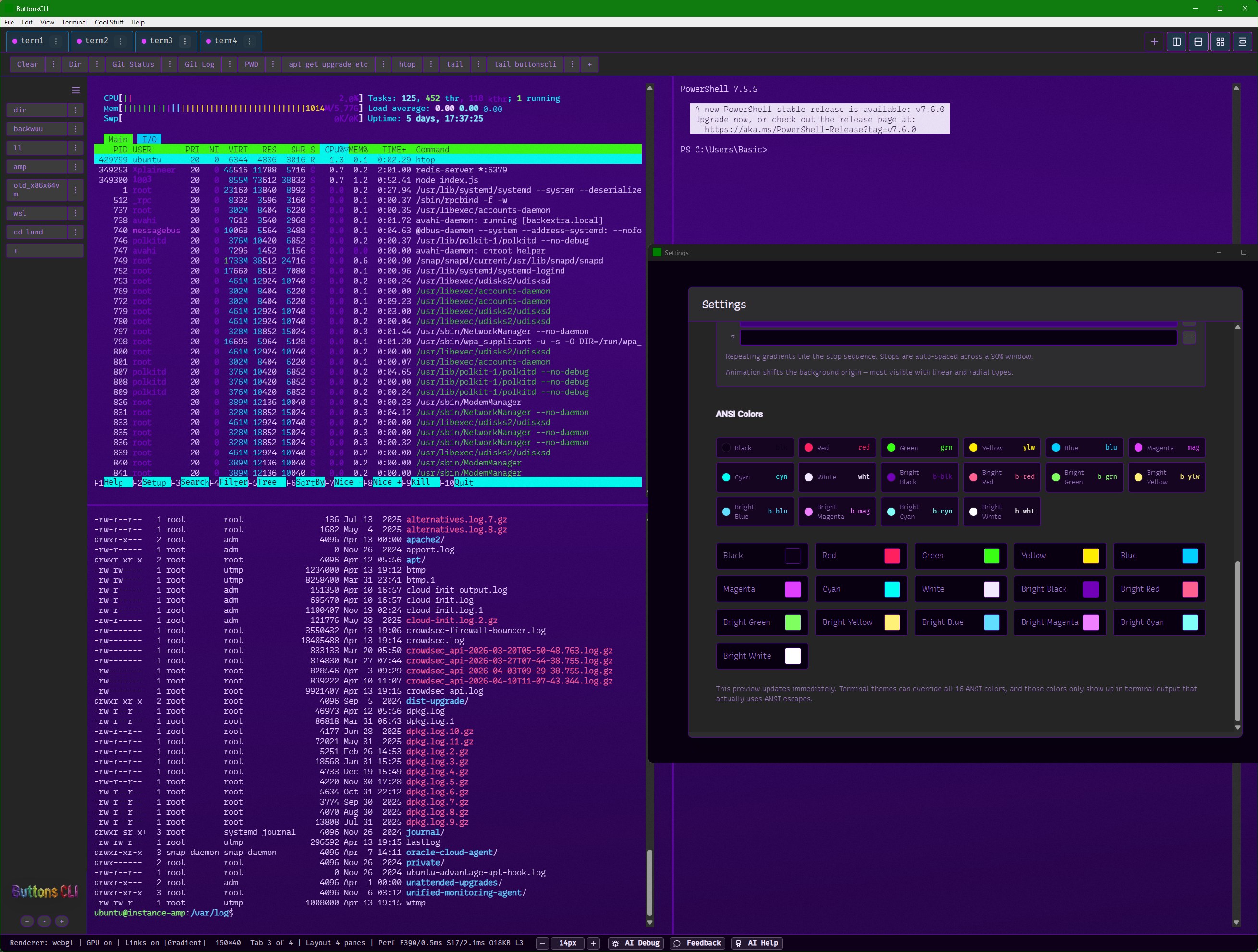
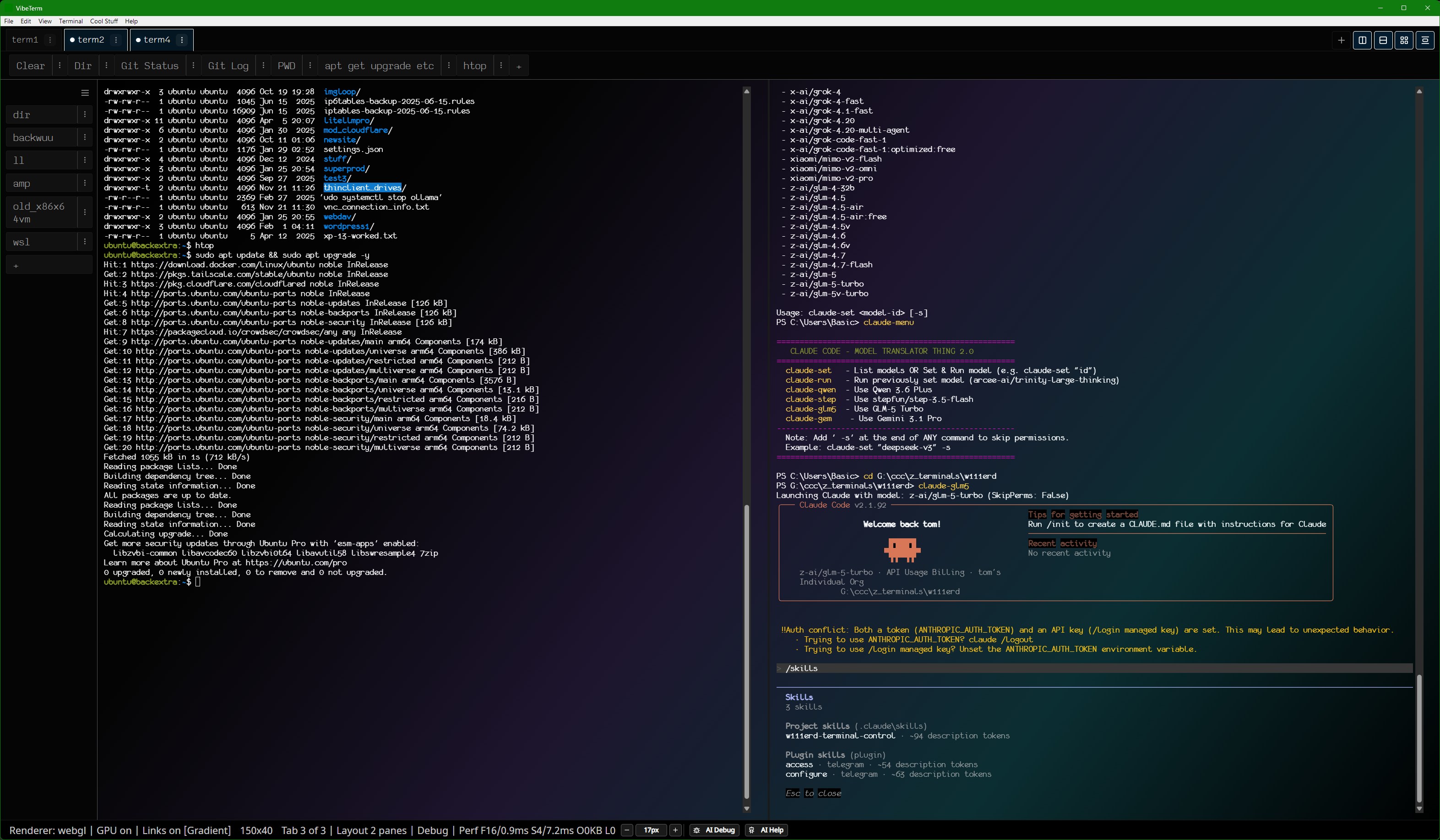
4-pane layout. AI Help floating in the middle. CAUTION badge on the PowerShell htop alternative.
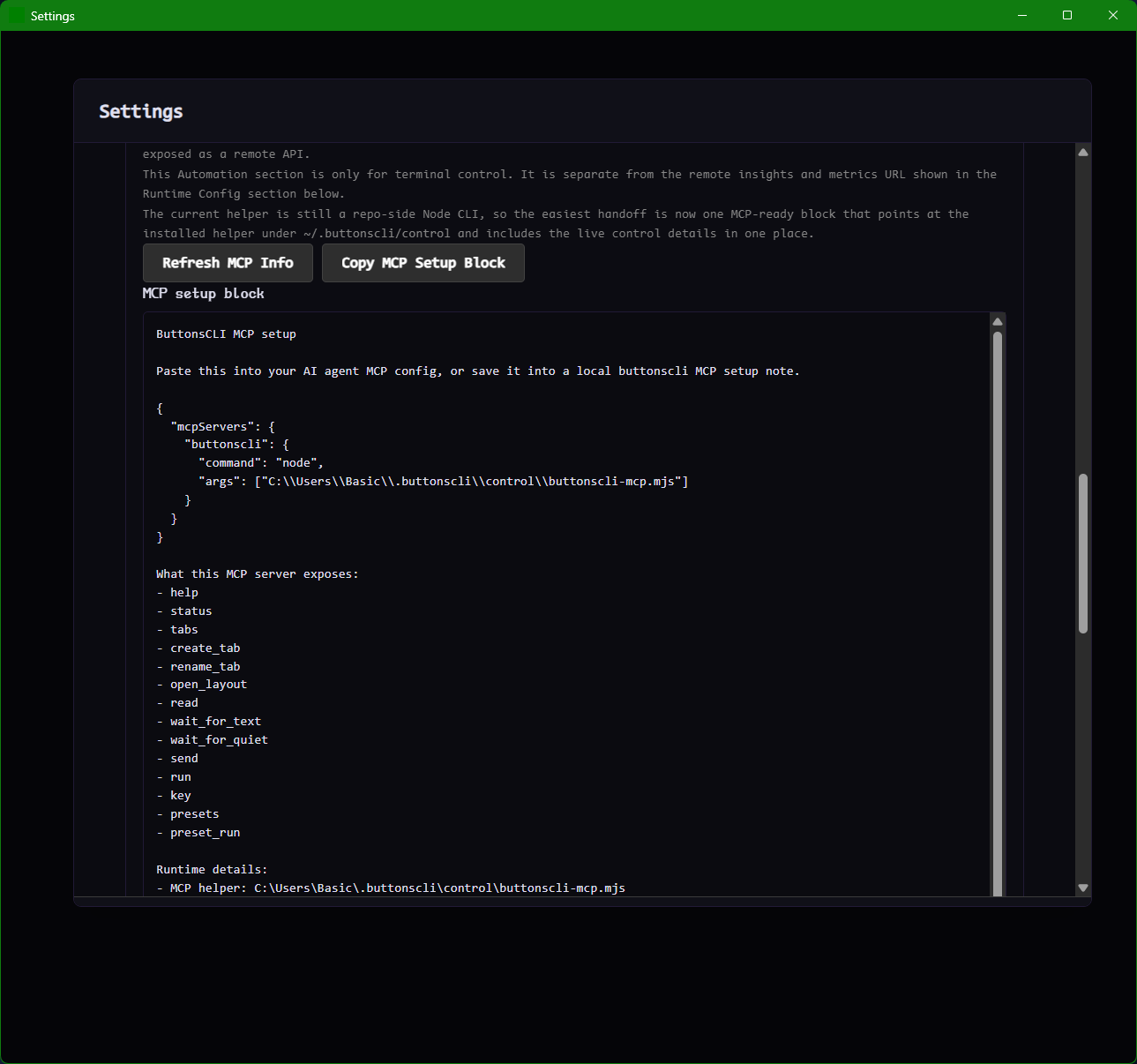
The MCP setup block. Copy it into your agent config to let AI tools control tabs and send commands.
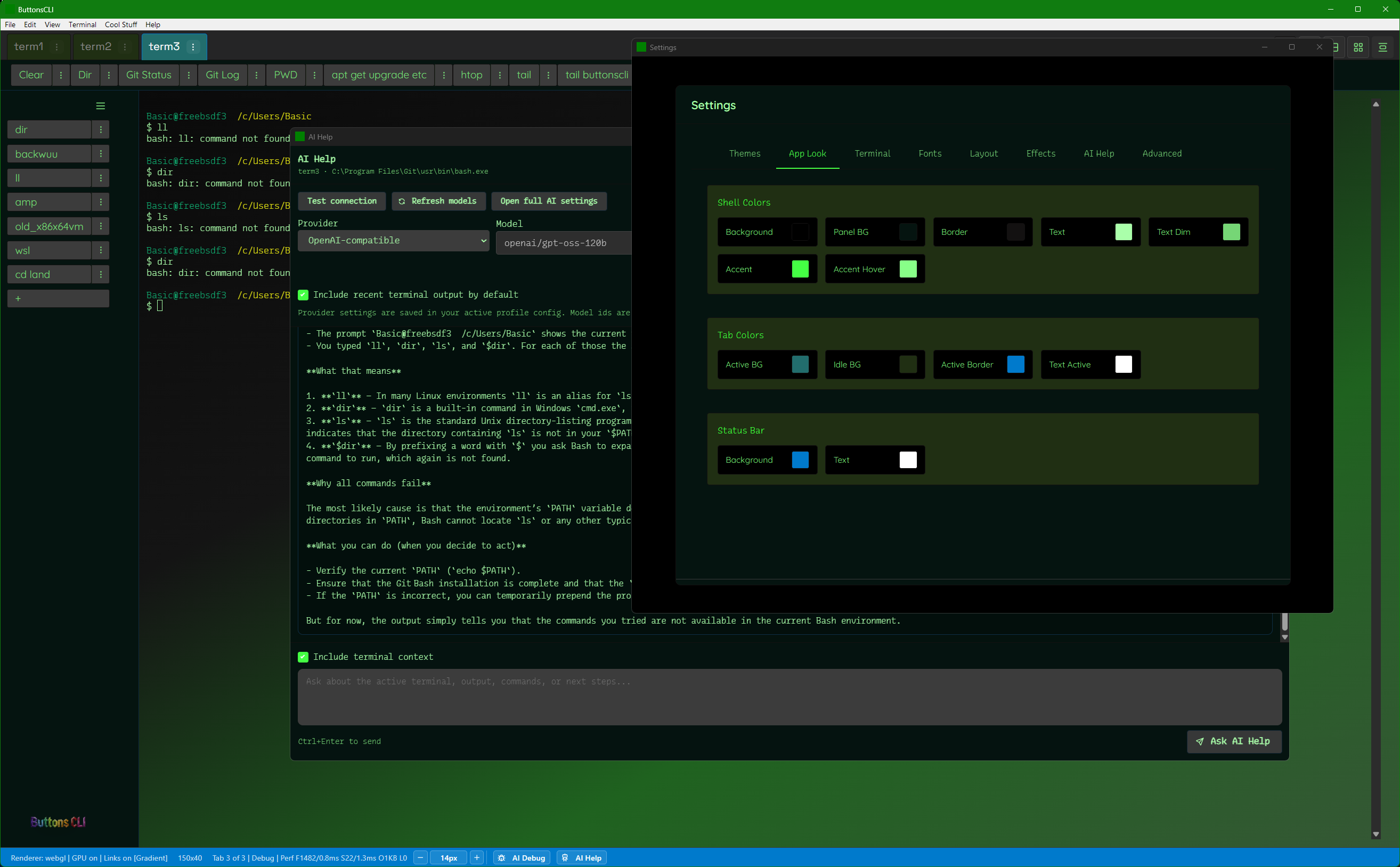
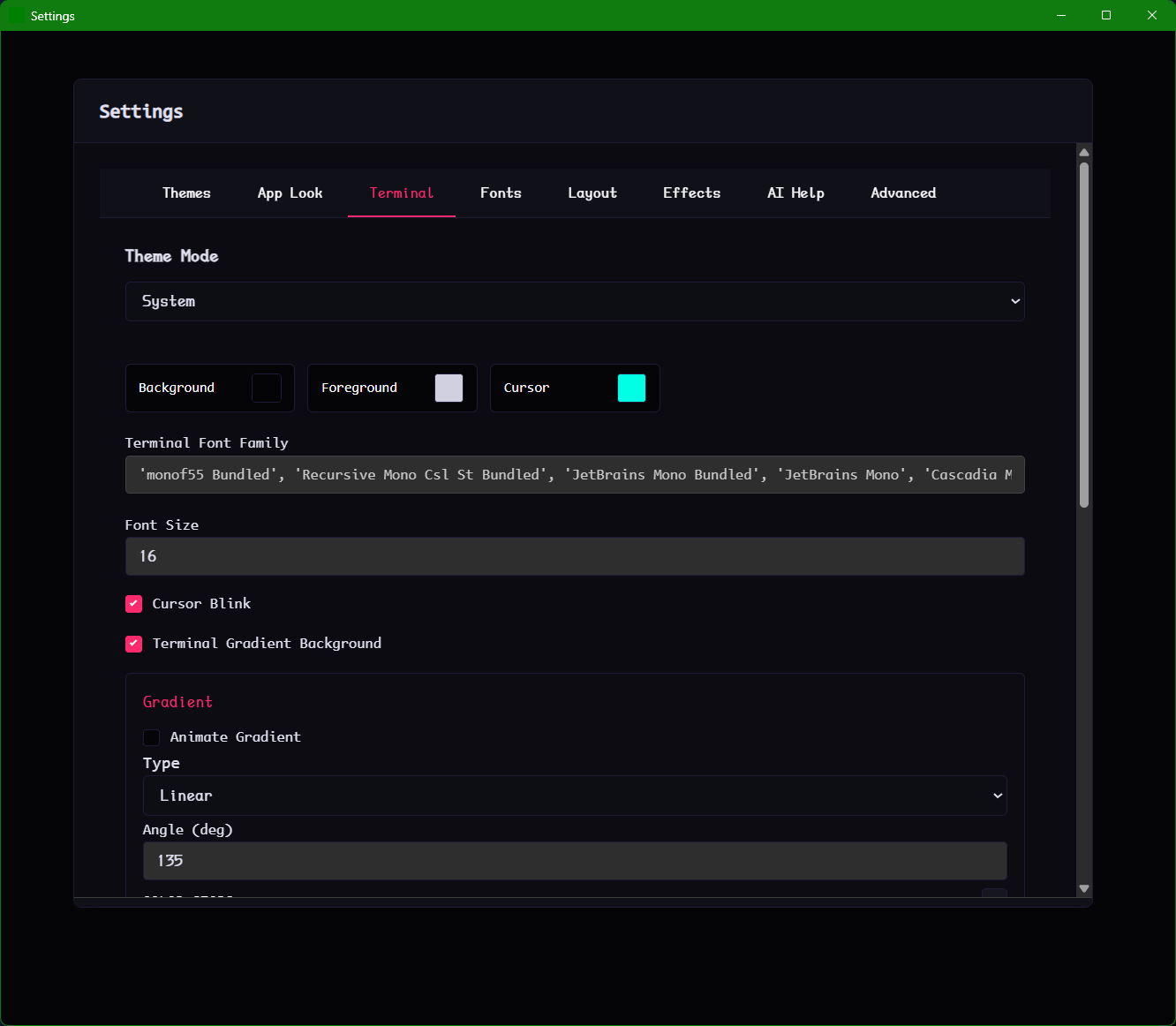
Green theme. Color pickers for Shell Colors, Tab Colors, Status Bar. Change anything without touching a config file.
Idle effects
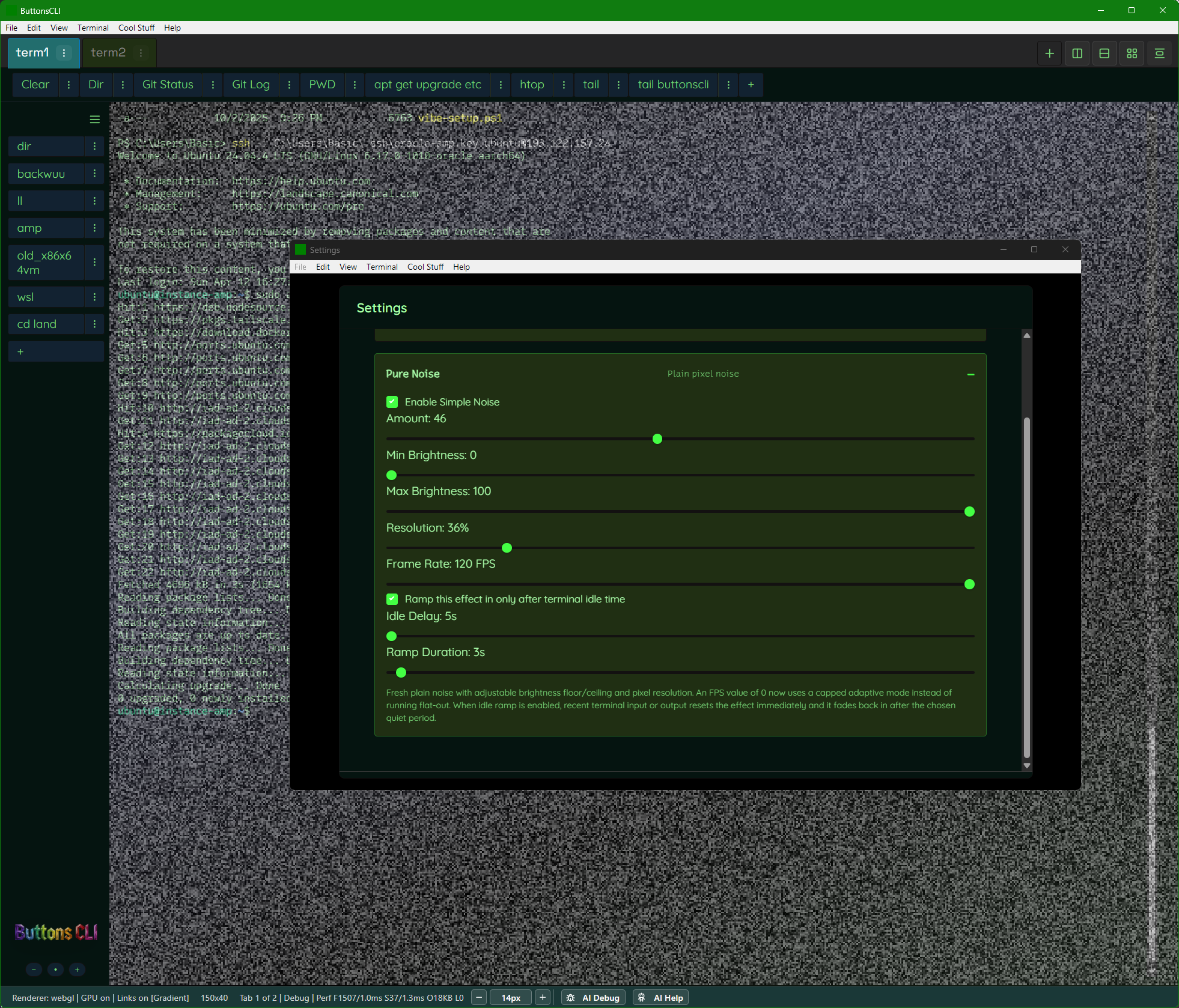
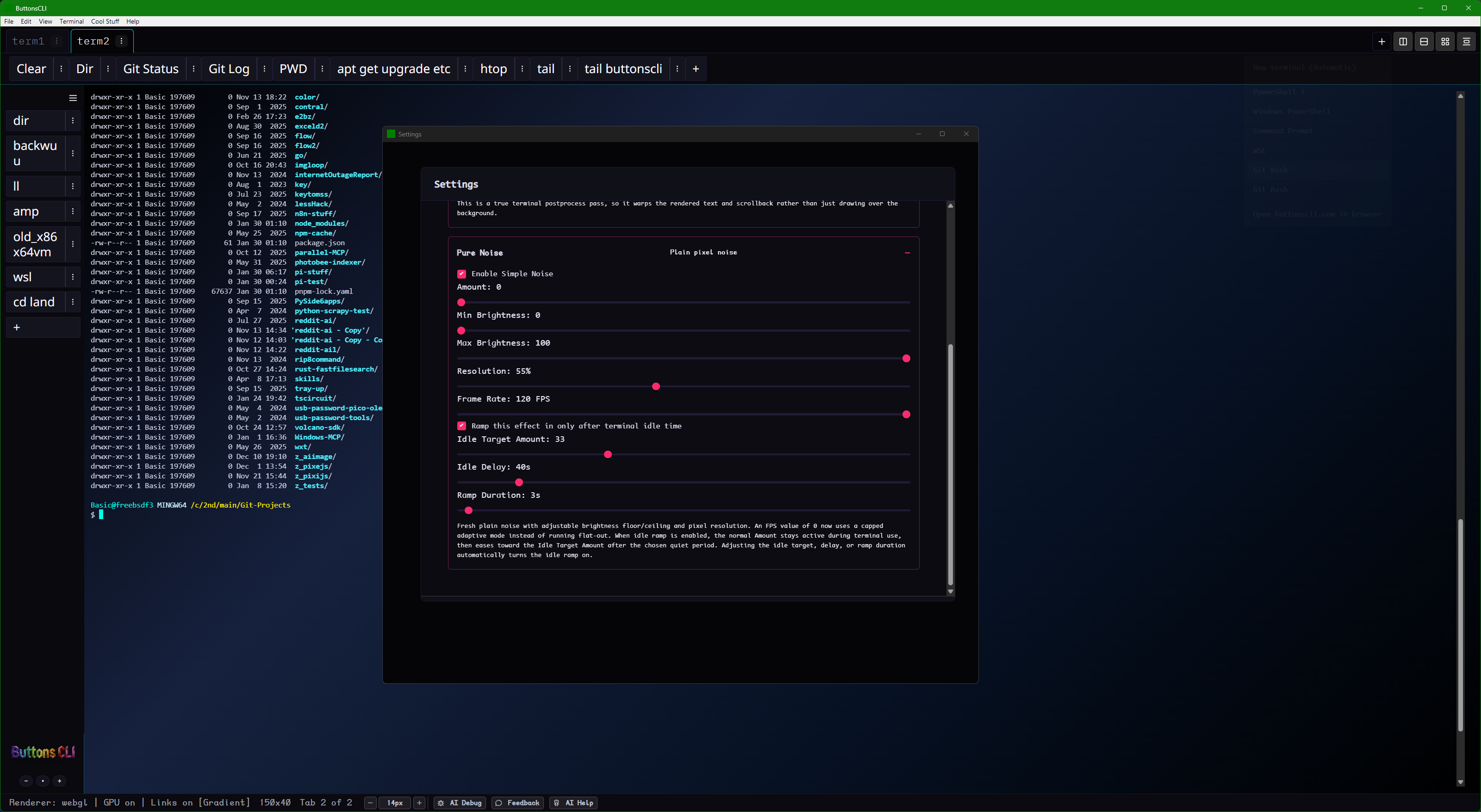
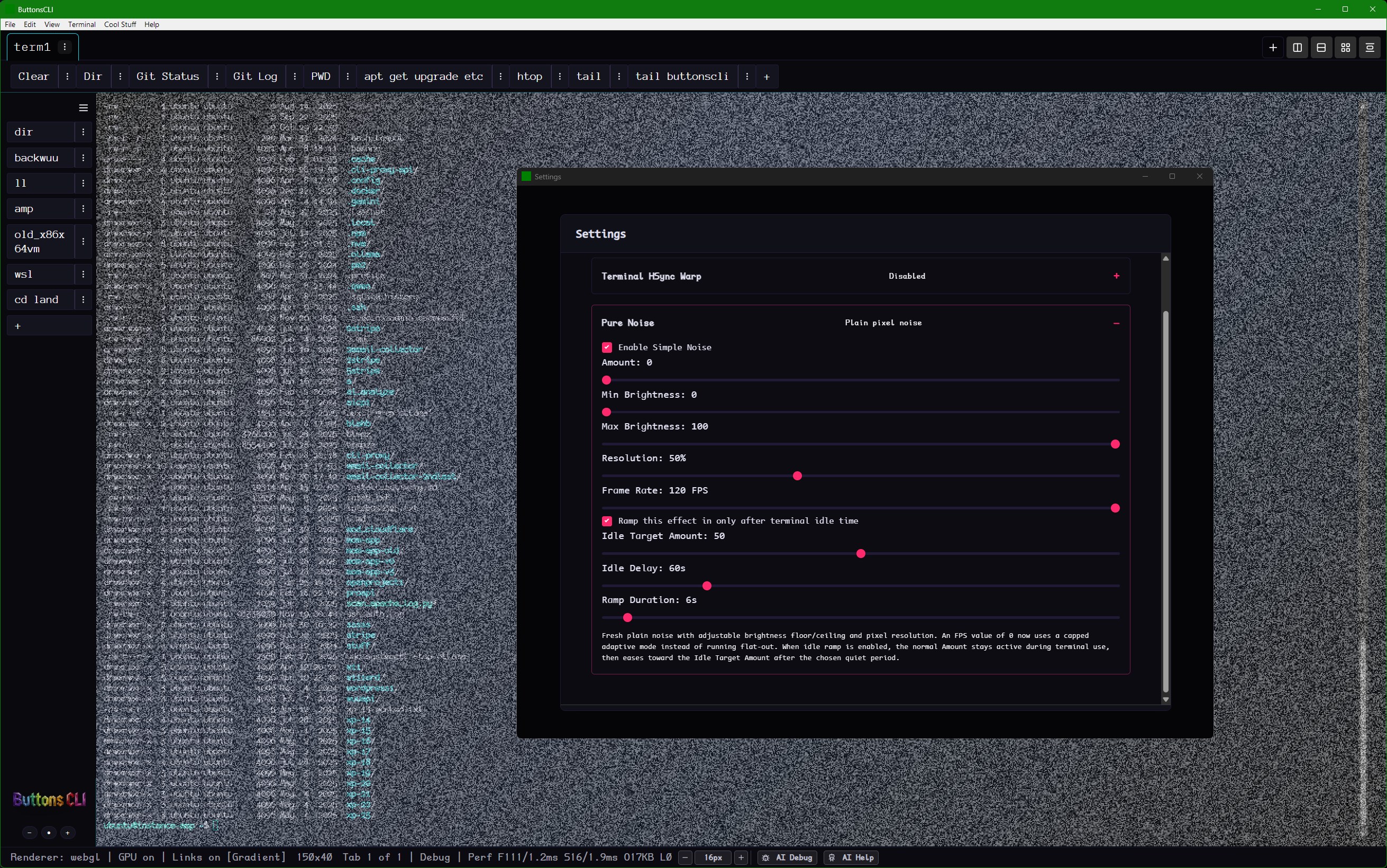
Optional static noise / TV static effect ramps in when the terminal goes idle. Configurable intensity, timing, and ramp speed. It's optional. But it's one of the things people keep mentioning.
Also has a "Simple Noise" mode for a subtler constant texture.
TV static on an idle terminal. Settings: noise amount, resolution, frame rate, idle delay ramp.
Roadmap β vote for what matters to you
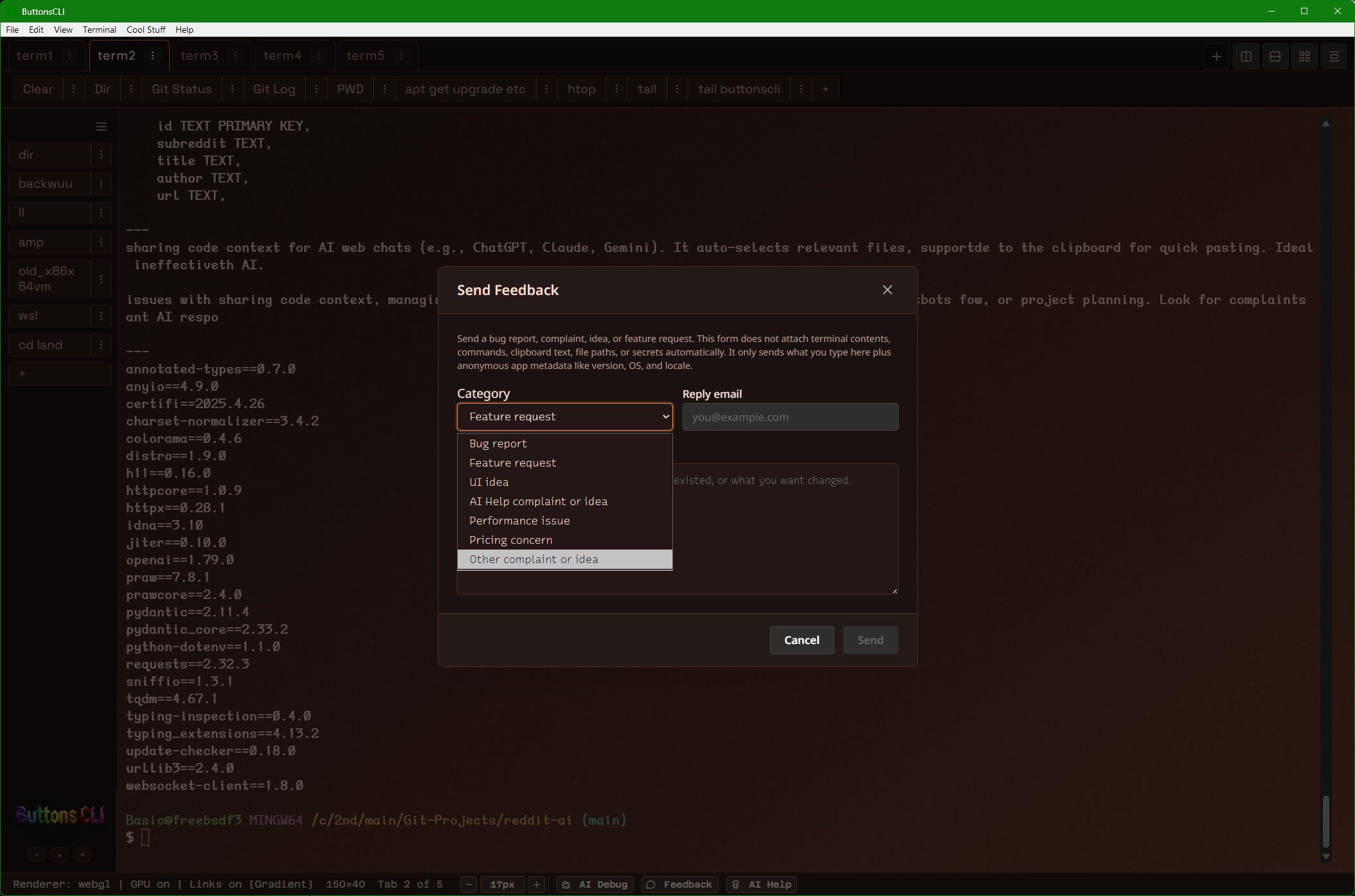
Send feedback directly from the app β or just click below to register interest. Nothing is vaporware, just priorities.
Pro Β· Useful
Checks commands and context before execution. Flags destructive patterns. You still approve everything.
Pro Β· Useful
Give it a goal. It plans steps, runs commands, reads output, adjusts. You approve at each checkpoint.
Pro Β· Useful
One-click installs for git, npm, coding agents. SSL setup. nginx config. Common server tasks automated.
Pro Β· Useful
Focus mode, customizable visual hierarchy, reduced-motion support, neurodivergent-optimized workflows.
Pro Β· Fun
Describe a vibe, upload an image. Get a full JSON theme: 40 color slots, fonts, gradients. Import/export.
Pro Β· Useful
iOS/Android apps to view and control running terminal sessions from your phone.
More screenshots
The page above keeps the pitch tight. This section is the full screenshot vault for the images not already used in the main story.
Shows the denser multi-pane layout with sidebar buttons and AI Help inside the grid.
The provider list and model wiring for people who want more control over AI Help.
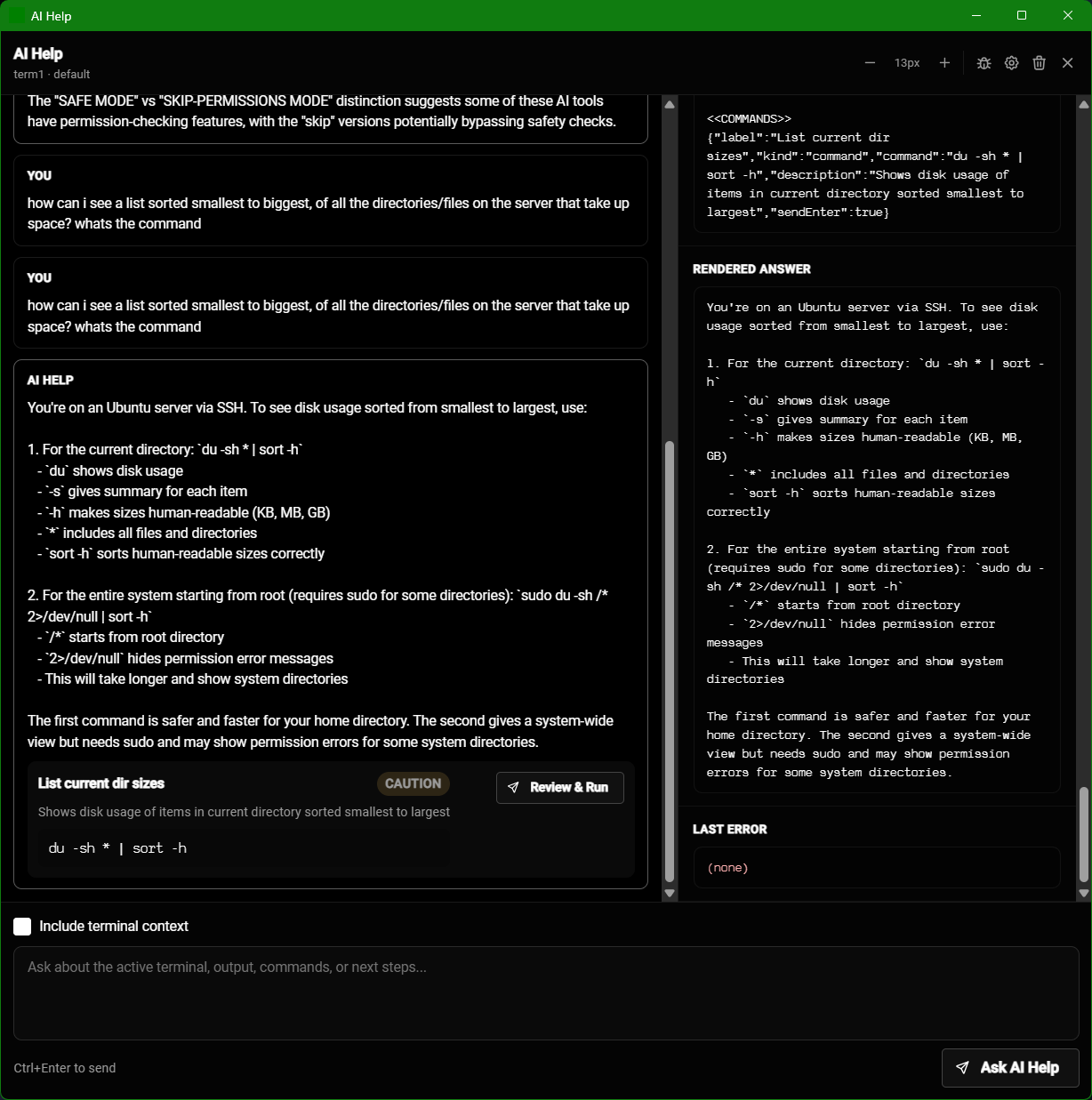
Raw payloads and rendered answers for diagnosing provider or prompt issues.
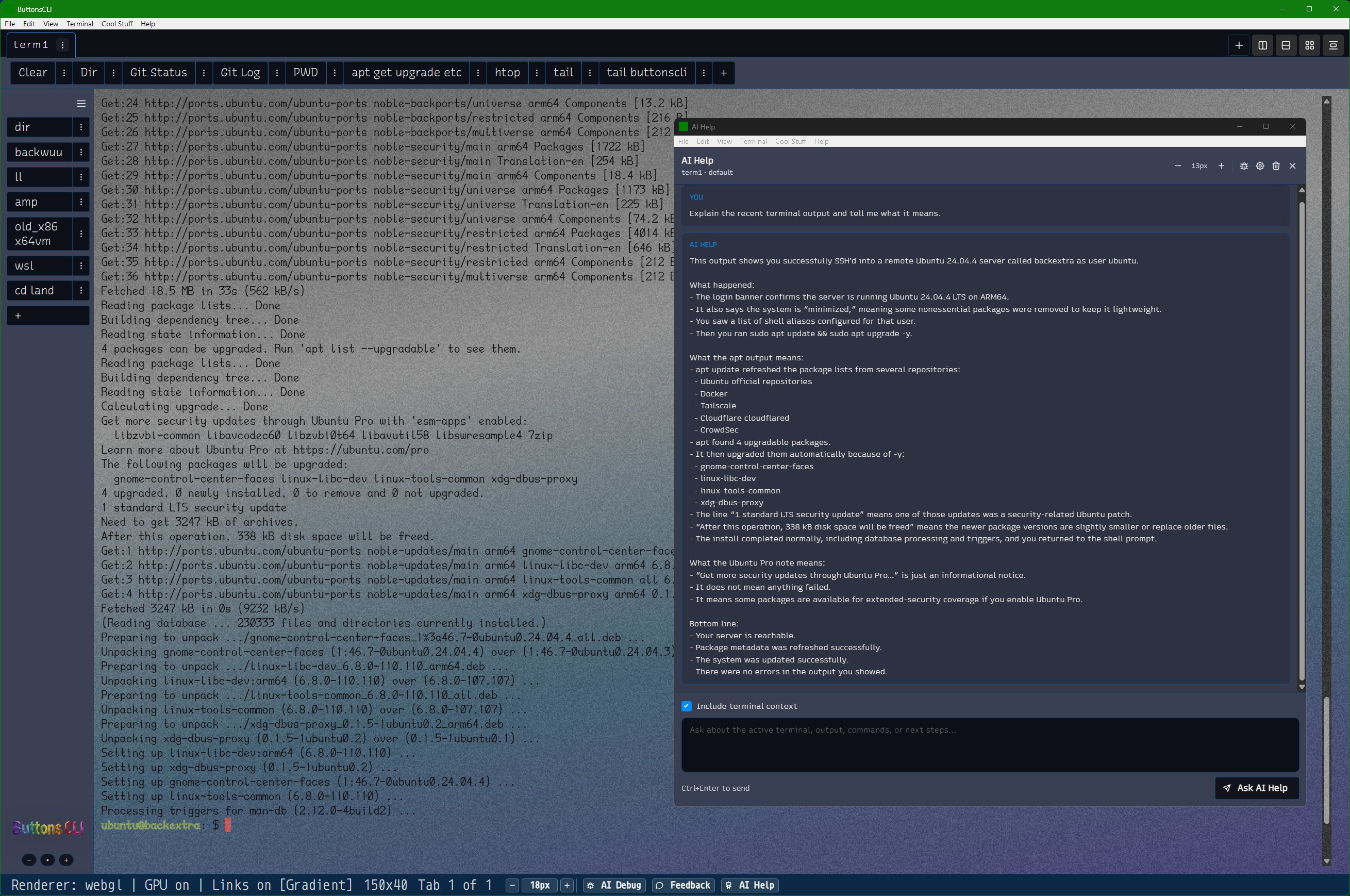
AI Help breaking down Ubuntu package and system messages without leaving the terminal.
A busier example that shows monitoring, file browsing, and theme controls all at once.
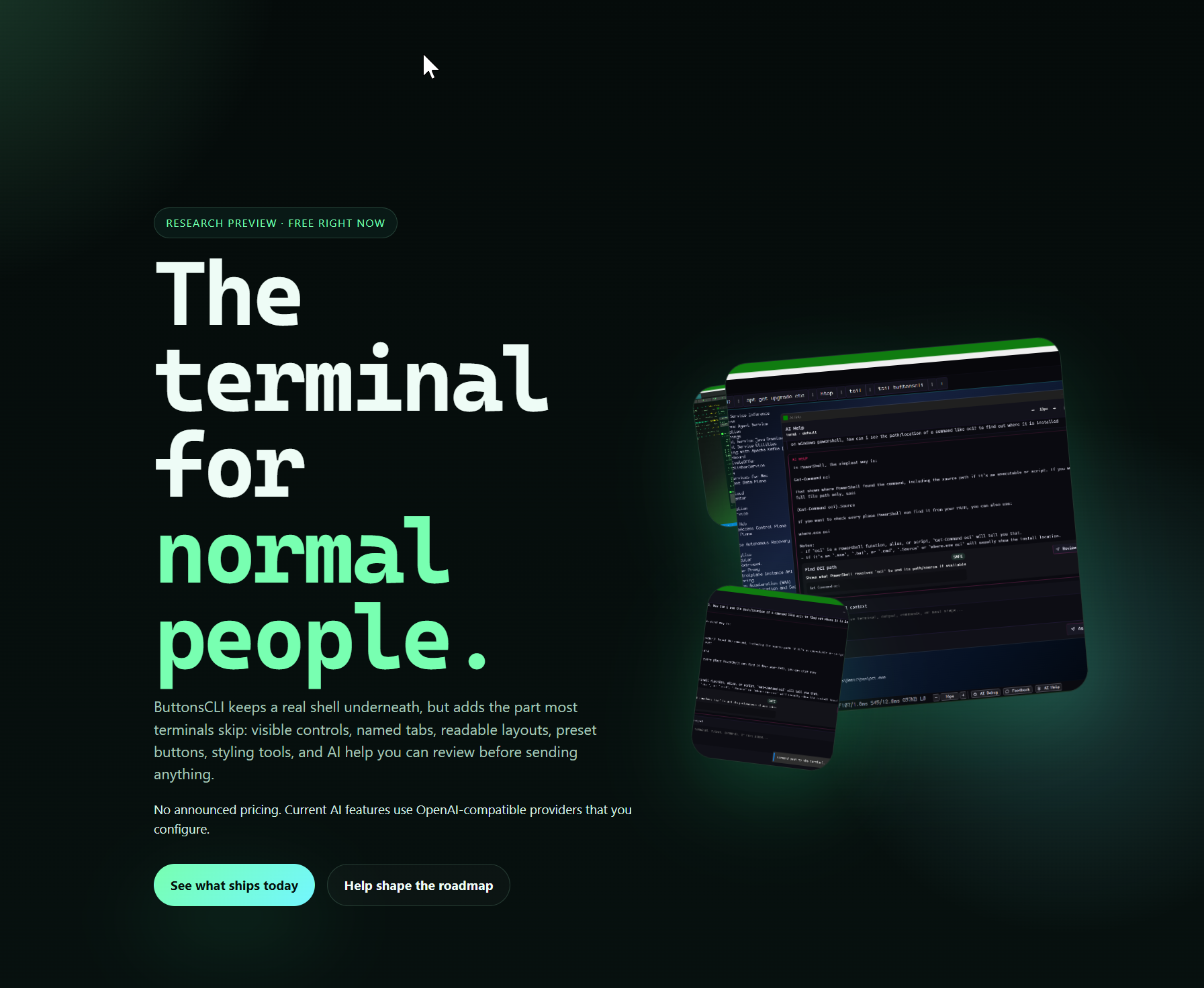
A previous web concept that still helps show the product voice and visual direction.
A calmer visual direction that still shows the effect controls and layered settings UI.
The settings flow for finding no-cost AI models without digging through provider docs.
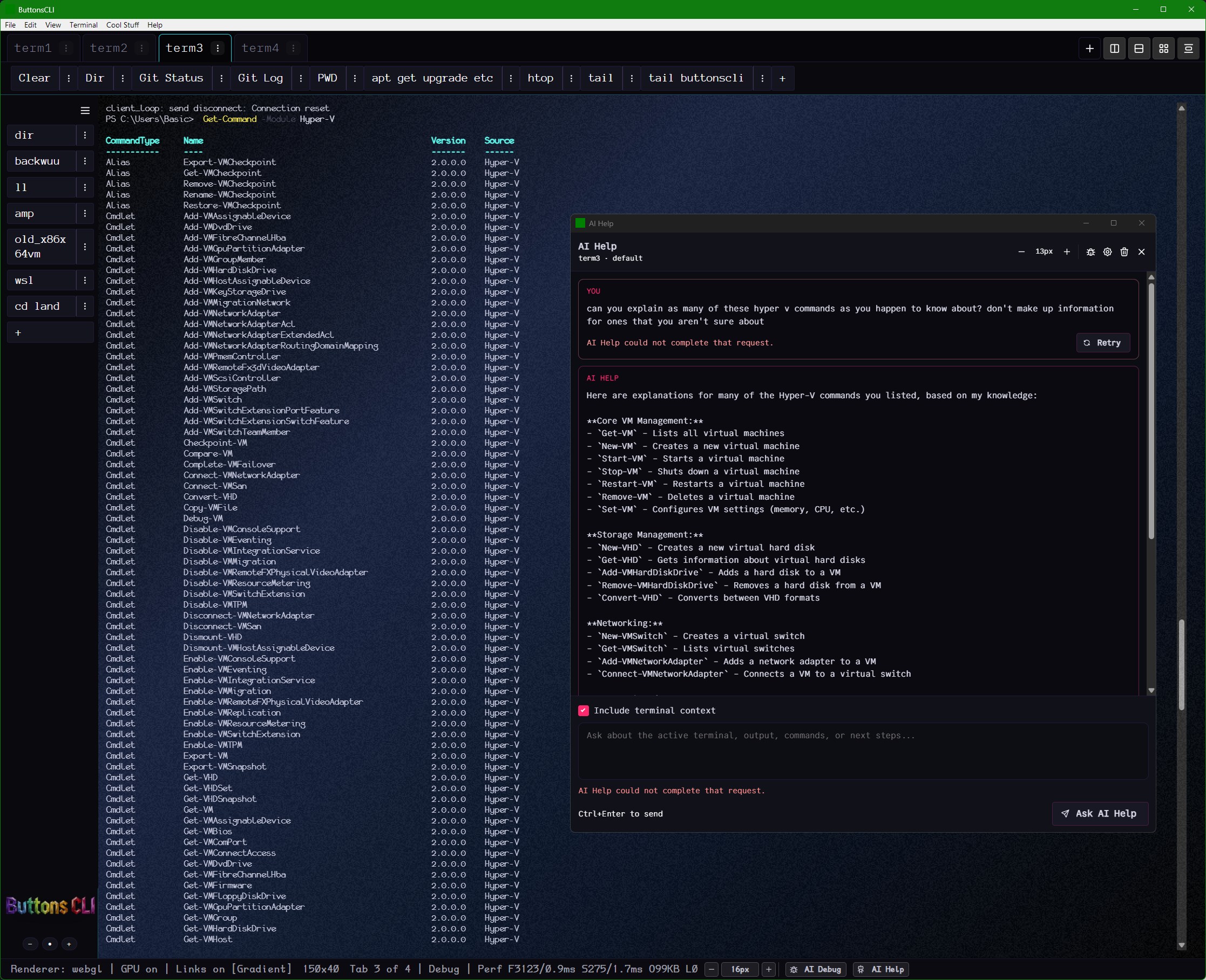
Long command lists turned into grouped explanations inside AI Help.
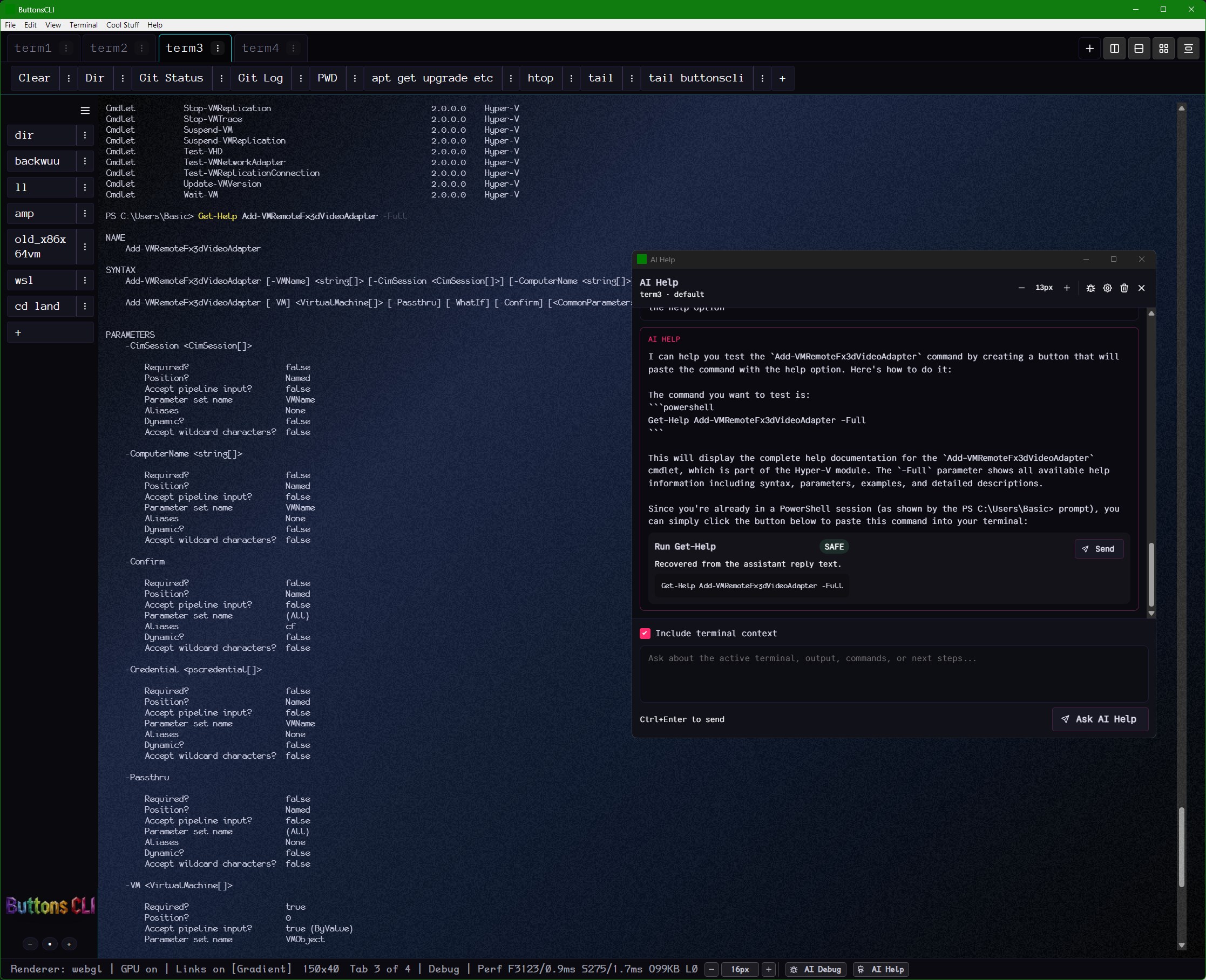
AI Help proposing a reusable button instead of just handing back text.
Server output on one side, AI or model tooling on the other.
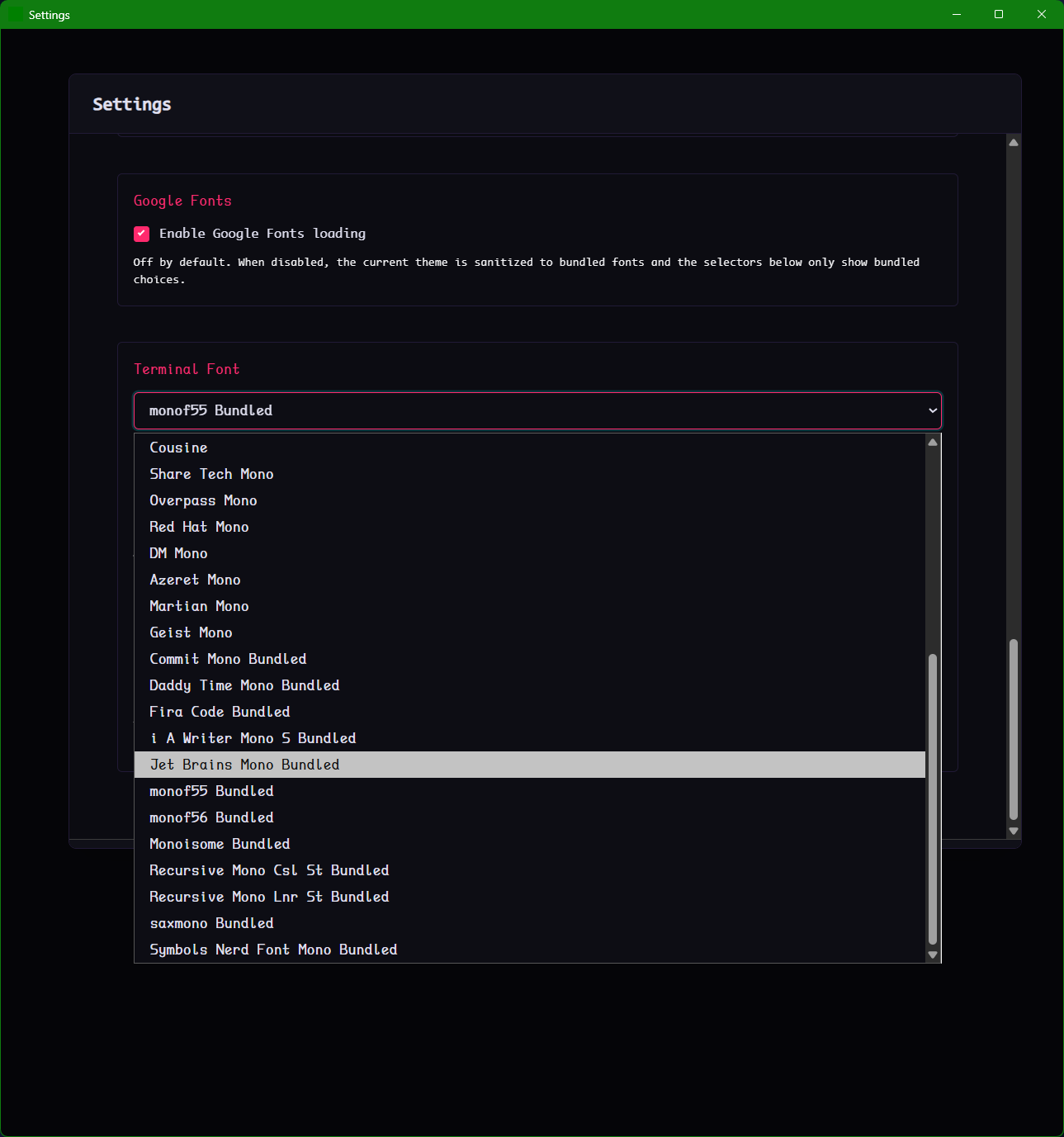
The searchable font dropdown, including the optional Google Fonts loading toggle.
A softer light mode that still keeps AI Help readable and integrated.
The simpler review state for low-risk AI-generated commands.
The in-app place for bug reports, feature requests, and UI ideas.
The louder TV-static version of the idle effect with settings visible.
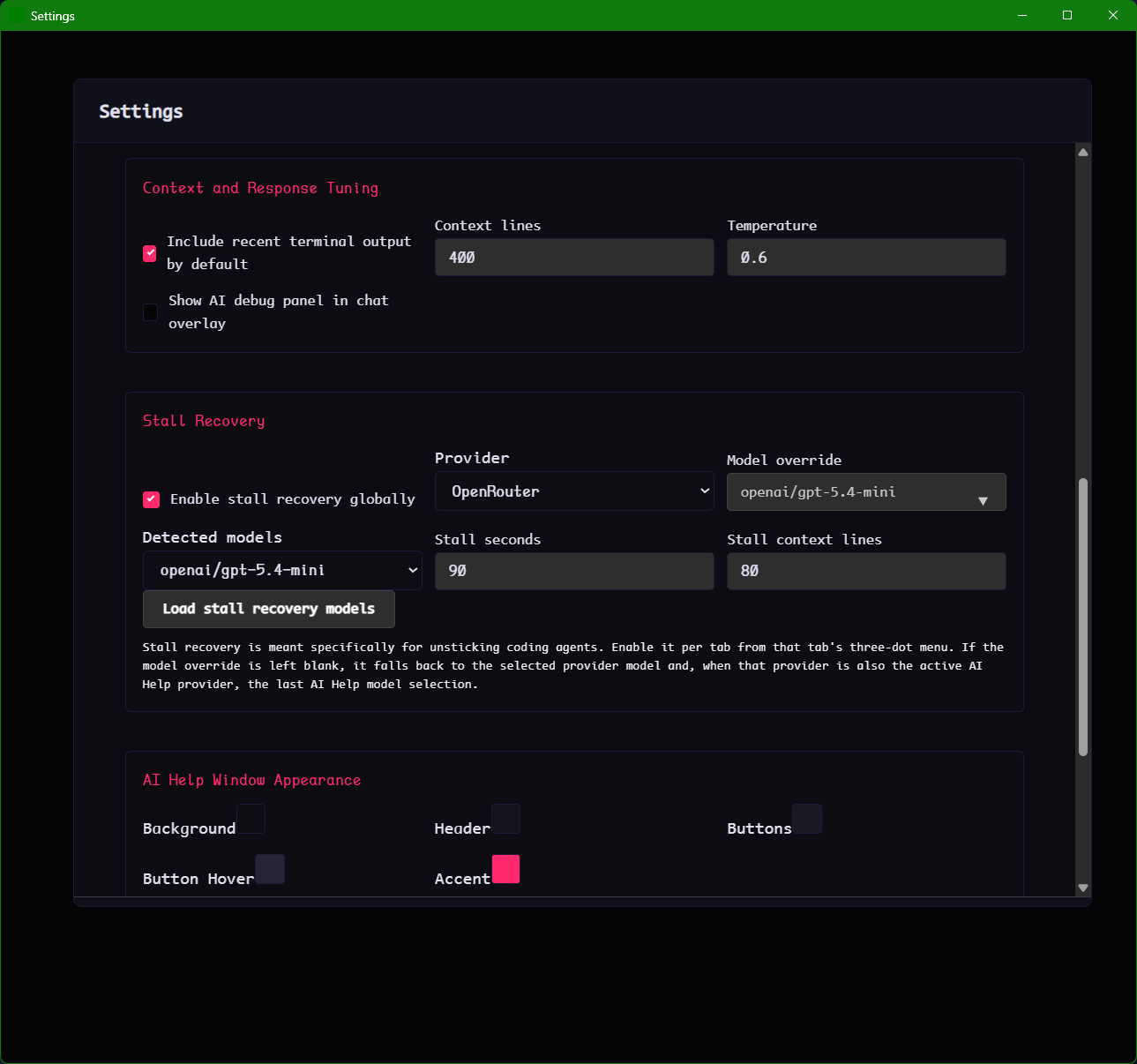
Controls for nudging stuck coding agents back into motion.
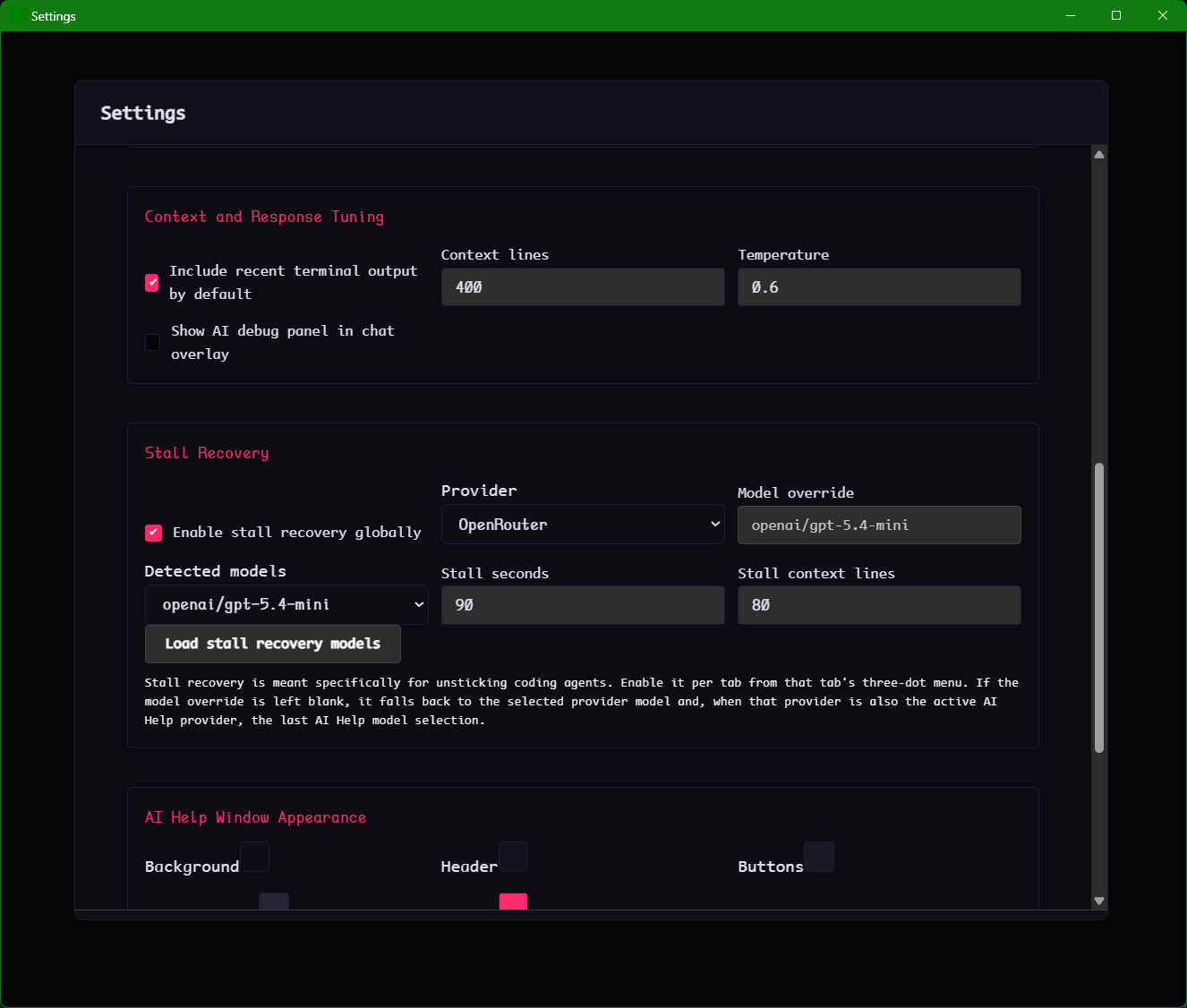
The model selection flow for the separate stall-recovery path.
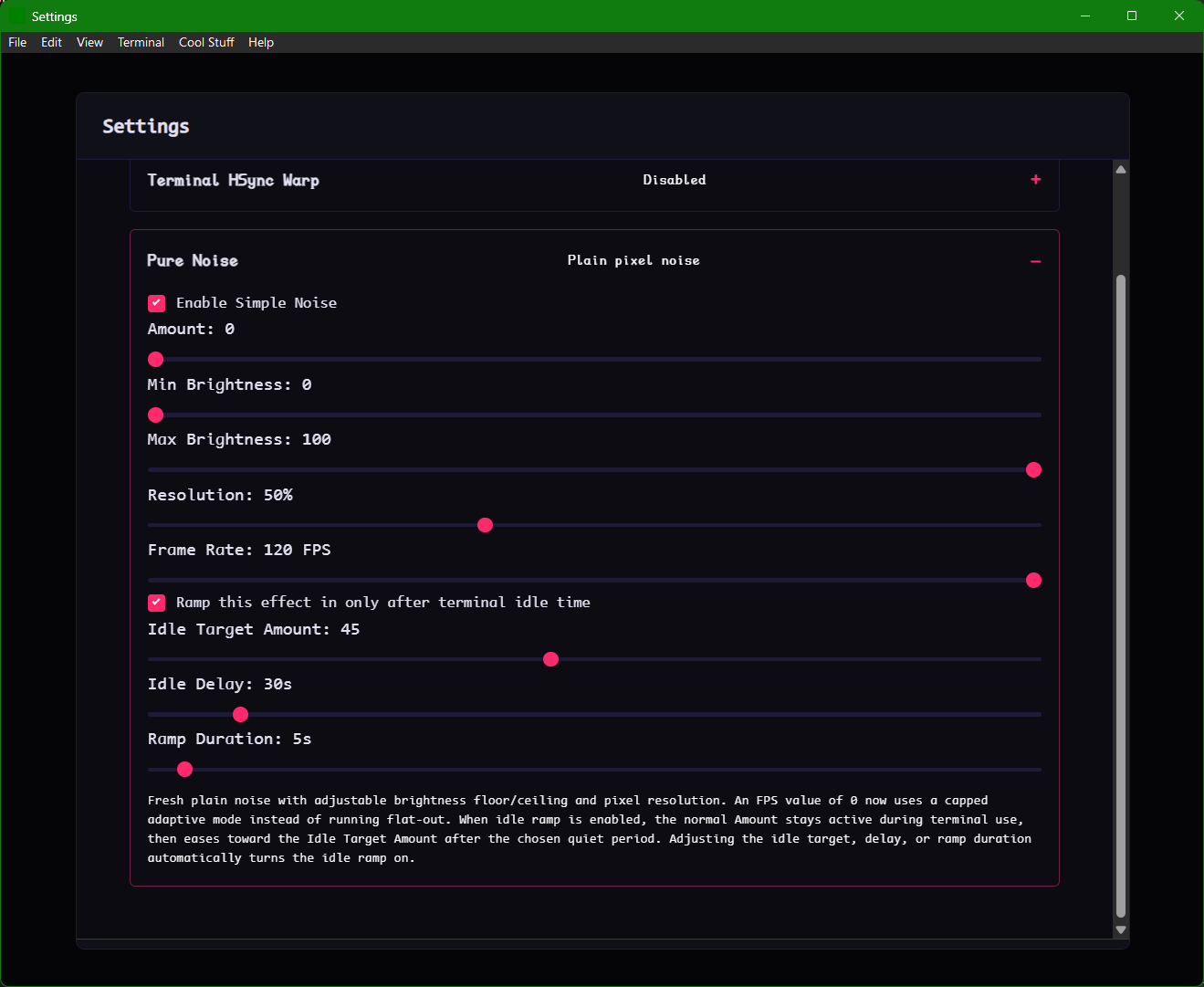
The exact timing settings behind the idle-triggered static effect.
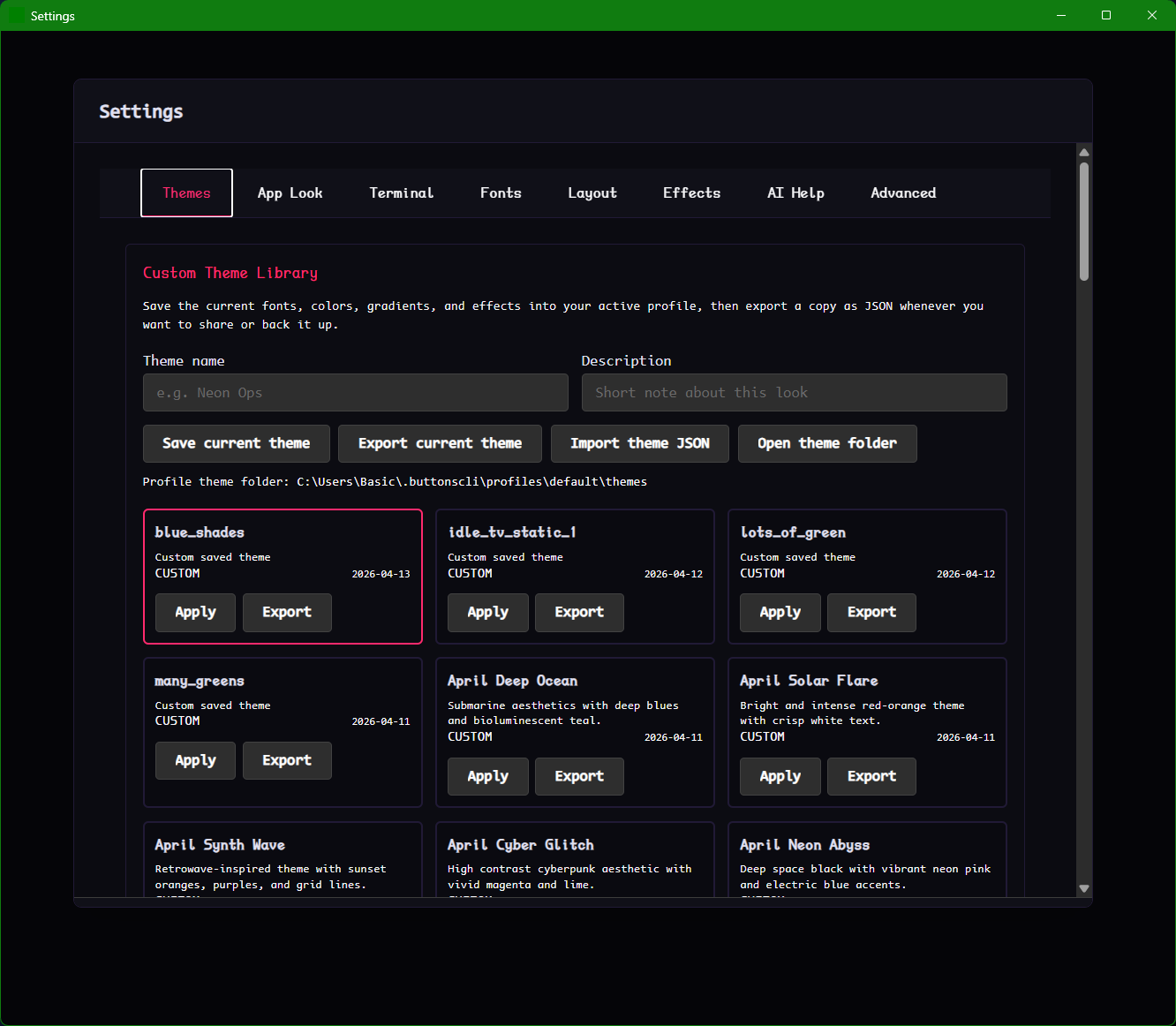
Saved themes, import and export, and the custom theme grid.
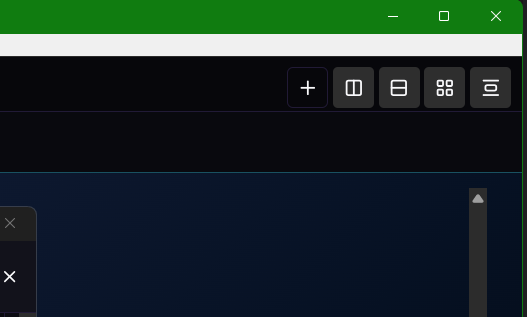
The row of pane arrangement controls that keeps layout actions visible.
Early access
Windows, macOS (M1+), and Linux are all available now.